
How to Run Recurring Tasks and Checklists in Slack
September 08, 2026
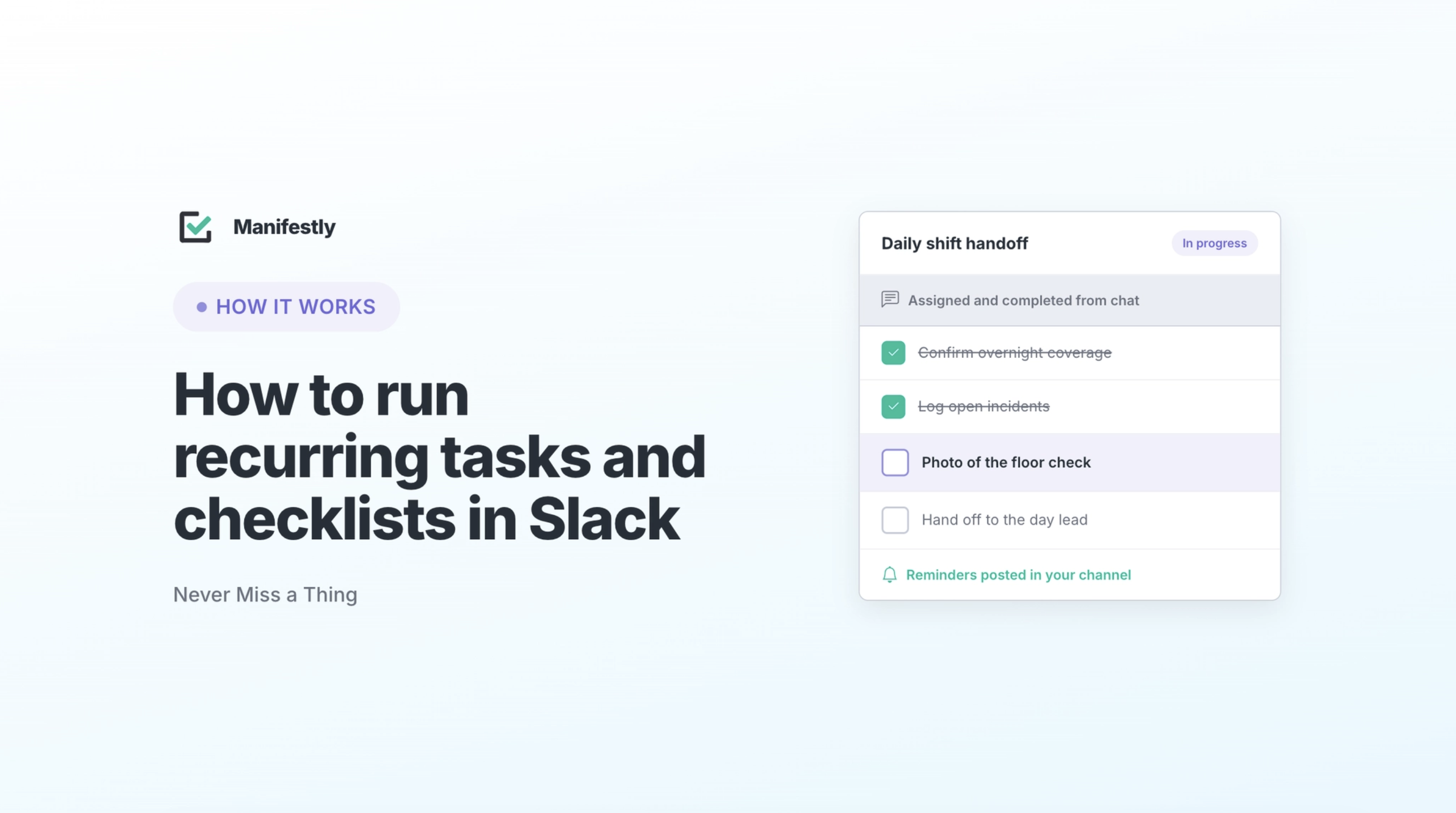
Slack is a useful place to surface recurring work. /remind can bring a task back at the right time, while Slack Lists can assign work, set due dates, track completion, and keep the surrounding conversation attached.
For simple recurring tasks, that may be all a team needs. But a reminder or task list is not always enough to run a repeatable process across several owners, deadlines, approvals, and recurring cycles.
A nudge is not an accountable run.
That distinction matters because Slack is already where much of the work gets coordinated. Teams discuss exceptions, ask questions, share updates, and remind each other what needs attention. The problem begins when those conversations become the operating system around the process.
A reminder appears in a channel. Someone reacts to it. A thread begins. One person says they will handle the task, and another assumes the work is underway. A week later, the process owner still has to ask what happened.
The work was visible. Its completion was not.
The answer is not to replace Slack or force the team into another communication tool. Keep the work where the team already works. Add a system underneath it that knows what the process is, who owns each step, when the work is due, what remains incomplete, and whether the full run finished.
What Slack does well for recurring work
Slack is genuinely good at getting work in front of people.
A reminder can return an action to the team’s attention at the right time. A List can turn a discussion into assigned tasks with due dates, subtasks, custom fields, views, and item-level threads. When a deadline approaches or a task needs clarification, the team can address it in the same place where the rest of the conversation is happening.
For straightforward recurring work, this can be enough. A weekly reminder to submit metrics may solve the problem. A List for a short team initiative may provide all the ownership and visibility the team needs.
Slack works especially well when the main risk is that someone will forget the next action. Its limits become clearer when the team needs to manage the complete process rather than surface the next task.
The gap between a reminder and a process
Slack reminders can notify a person or channel on a recurring schedule. A team might use them to submit weekly metrics, review overdue invoices, complete a monthly access check, or run an end-of-day closing checklist.
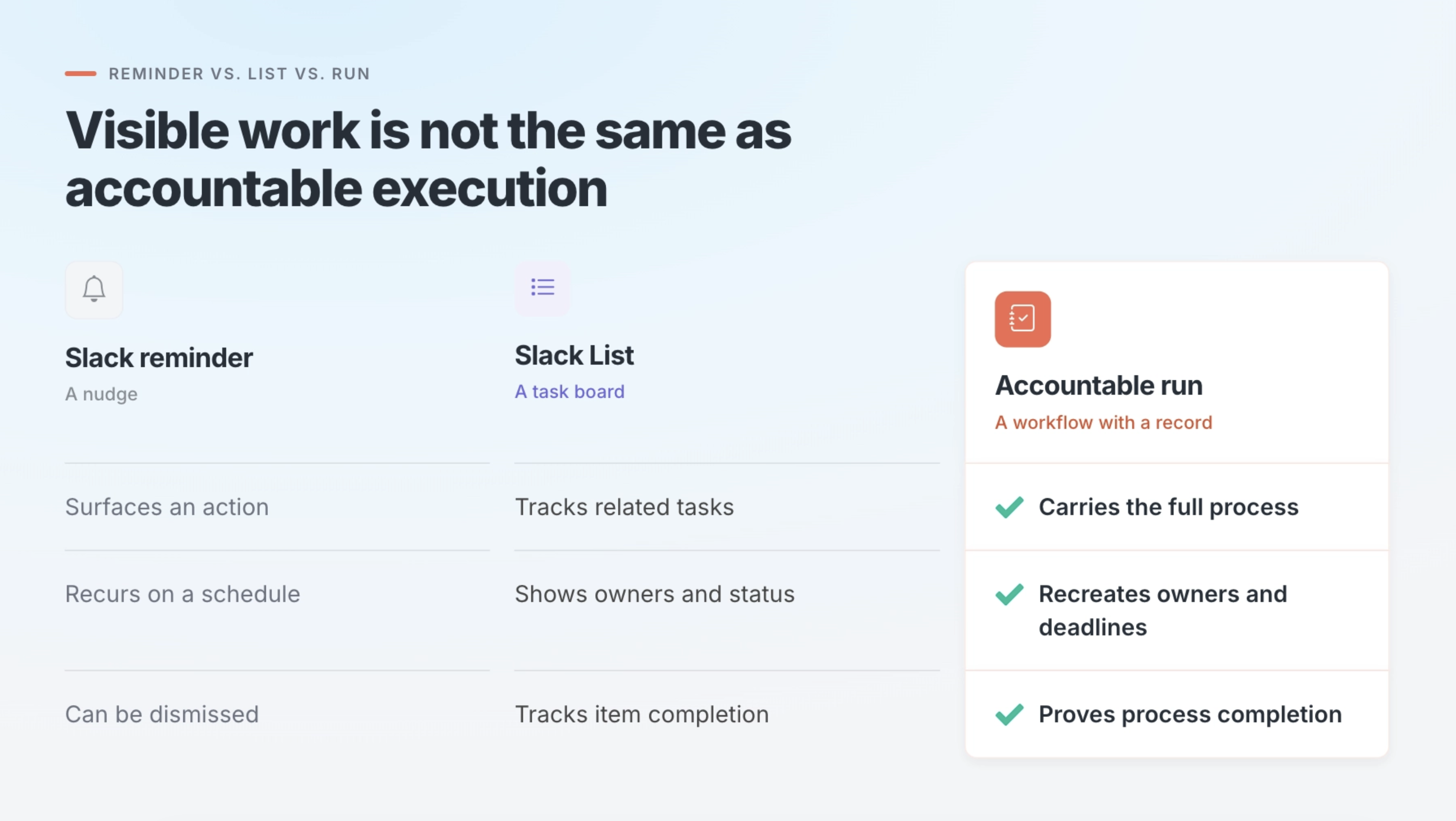
The reminder does its job when it puts the work back into view. But it does not define the complete set of steps, assign each step to the correct owner, calculate deadlines for a particular cycle, enforce approvals, or preserve one record of how the process finished.
Consider a monthly reminder that says:
Complete the access review by Friday.
That message does not establish which systems must be reviewed, who owns each system, what evidence must be recorded, who approves the result, or whether an exception remains unresolved. The process owner may still have to collect updates across threads, messages, spreadsheets, and individual conversations.
By Friday, the channel can contain plenty of activity without one clear answer to the question that matters: Did the monthly access review get completed?
Marking the nudge complete is not the same as proving the process was completed.
When a Slack List stops being enough
Slack Lists provide more structure. They can coordinate related tasks, assignees, due dates, statuses, and discussion without moving the work into a separate project system. For many lightweight processes, they are a good solution.
The limit appears when a list has to behave like a reusable operational system. Three differences become important.
Each cycle needs its own run
Recurring work usually belongs to a specific period, employee, client, location, or event. The July access review is different from the August access review. This week’s store closing process is different from last week’s. One client’s onboarding should not share a completion state with the next client’s.
An evergreen List can be reset, duplicated, or reused, but someone still has to separate the current cycle from the previous one and preserve a history that makes sense later. A recurring workflow creates a distinct run for every execution.
Ownership and timing need to recreate themselves
A monthly close may always require work from Accounts Payable, Accounts Receivable, Payroll, and the Controller. An onboarding process may always involve HR, IT, Payroll, and the hiring manager. If someone must rebuild or check those assignments each time, the process still depends on manual setup.
Timing can create the same problem. An onboarding checklist may calculate deadlines from an employee’s start date. A renewal process may work backward from a contract expiration date. A compliance review may contain several deadlines within the same reporting period.
In a recurring workflow, the process design carries this structure forward. Each new run begins with the right steps, owners, and timing rules already in place.
Completion needs to be enforced and recorded
A List can show that an item remains incomplete. Some processes need stronger controls.
A compliance document may have to be collected before onboarding can close. A manager may need to approve a review before the next step begins. An exception may require an explanation. Required information may need to be entered before a task can be completed.
The team also may need one record showing which steps were completed, who completed them, when they were completed, what information was collected, which exceptions occurred, and when the full process closed.
A List tracks the tasks. A run tracks the execution of the process.
What an accountable recurring run carries
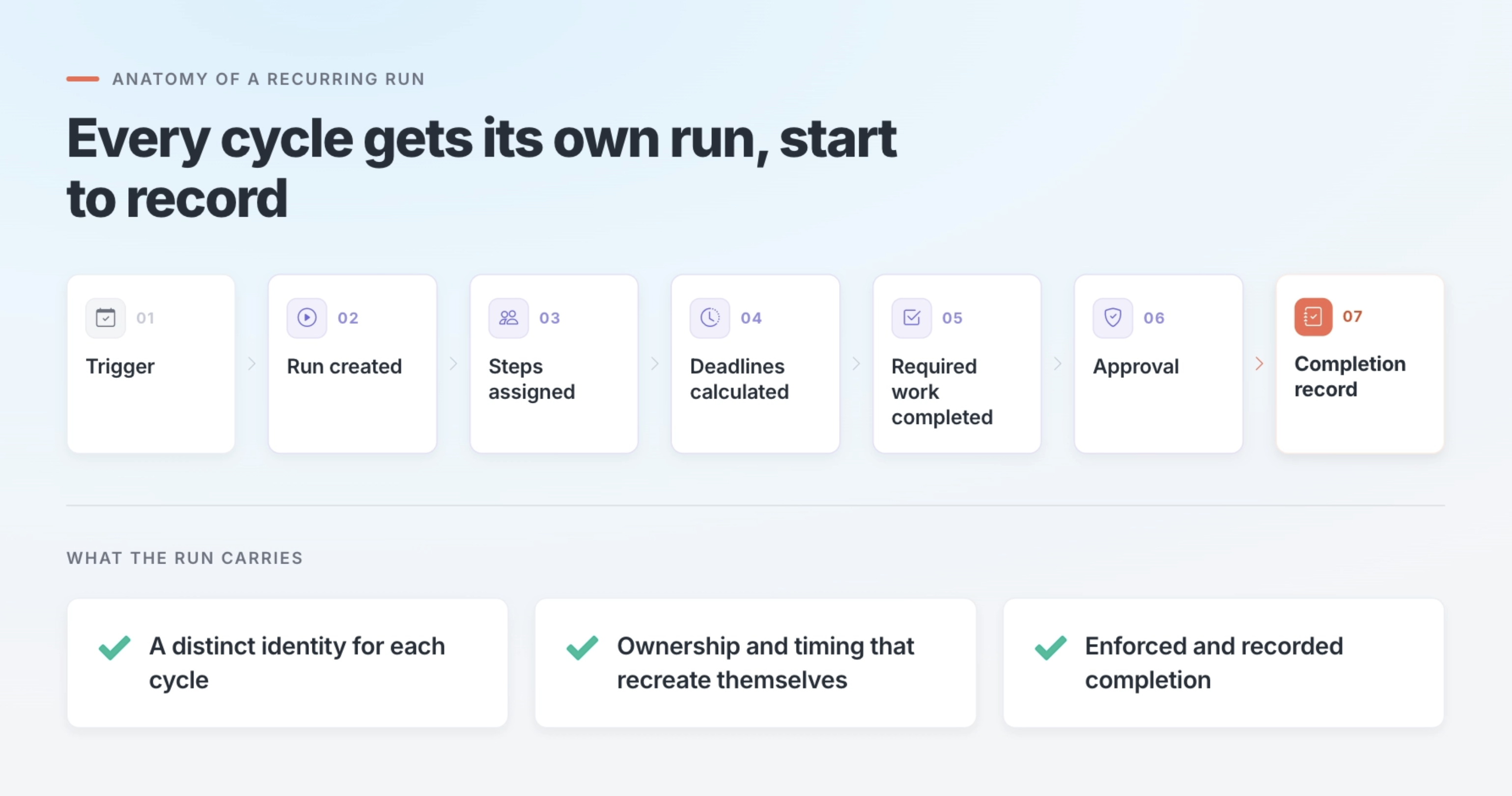
A reliable recurring process needs more than a schedule. It needs a reusable set of steps, clear ownership and timing rules, required approvals or stop points, notifications where the team already works, and a separate completion record for each cycle.
The process structure can live in Manifestly while the team performs much of the work through Slack.
Manifestly creates the workflow and starts each recurring run with the right steps, owners, and deadlines in place. Assignments, comments, completion activity, and late-work notifications reach the team in Slack, where people can act on the work and discuss exceptions without losing the underlying process record.
Slack remains the place where the team communicates. Manifestly carries the process underneath it.
Example: a monthly access review in Slack
A monthly access review shows why this difference matters. The process repeats on a predictable schedule, several people may own different systems, exceptions need to be resolved, and the organization may need to prove later that the review happened.
Before: the reminder starts the chase
On the first business day of the month, Slackbot posts:
Reminder: Complete the monthly access review by Friday.
The security or compliance owner replies with a few notes. IT says it will review the main applications. Department leads are asked to check their users. Someone posts an exported spreadsheet in the thread.
Over the next several days, updates appear in different places. One owner responds in the channel. Another sends a direct message. A third updates the spreadsheet without telling anyone.
By Friday, the process owner still has to determine which systems were reviewed, who completed each review, which accounts need to be removed, whether remediation occurred, whether every exception was resolved, and who approved the final result.
The reminder surfaced the work. One person still had to hold the process together.
After: an accountable run carries the process
On the first business day of the month, Manifestly starts a new Monthly Access Review run and connects it to the appropriate Slack channel.
The run contains the complete process: export the current user list, review employee and contractor access, identify outdated accounts, assign remediation, record exceptions, confirm the changes, obtain final approval, and close the review. Each step begins with a named owner and a due date.
The people responsible for each system receive their assignments in Slack. They can complete steps, enter required information, and discuss exceptions in the channel. If a step becomes late, the responsible person and process owner can be notified. If remediation or final approval is required, the run remains open until that work is complete.
At the end of the cycle, the team has one record showing how the review was executed.
The work still happens where the team communicates. The accountability no longer depends on the conversation.
When Slack reminders or Lists are enough
Not every recurring task needs a workflow system.
A Slack reminder may be enough when one person owns a simple action, recurrence follows a fixed schedule, and the main risk is forgetting. Submitting a weekly report, updating a meeting agenda, sending a monthly invoice, or checking a shared inbox may fit this pattern.
A Slack List may be enough when the team needs a shared set of tasks, straightforward assignments and due dates provide enough structure, and task-level completion gives the necessary visibility. Planning a small event, coordinating a short initiative, or tracking meeting follow-ups may not require anything more.
An accountable workflow becomes more useful when every cycle needs its own run, several people or departments participate, ownership should be applied automatically, deadlines vary, required work cannot be skipped, or the organization needs a durable record of how the process was completed.
The question is not whether Slack can track tasks. It is whether the process needs more structure than a reminder or List was designed to carry.
Keep the work in Slack. Put accountability underneath it.
Slack can remain the place where people ask questions, discuss exceptions, and coordinate with coworkers. The wider team does not have to leave the flow of communication every time someone needs to see or complete assigned work.
Manifestly holds the reusable process underneath: what should happen, who owns each step, what is late, what cannot be skipped, and whether the run finished.
The team can keep working in Slack. The process no longer depends on someone remembering what should happen next or reconstructing what happened afterward.
A nudge is not an accountable run.