
Do You Need Workflow Software If You Already Use Spreadsheets, SOPs, or Project Management Tools?
October 27, 2026
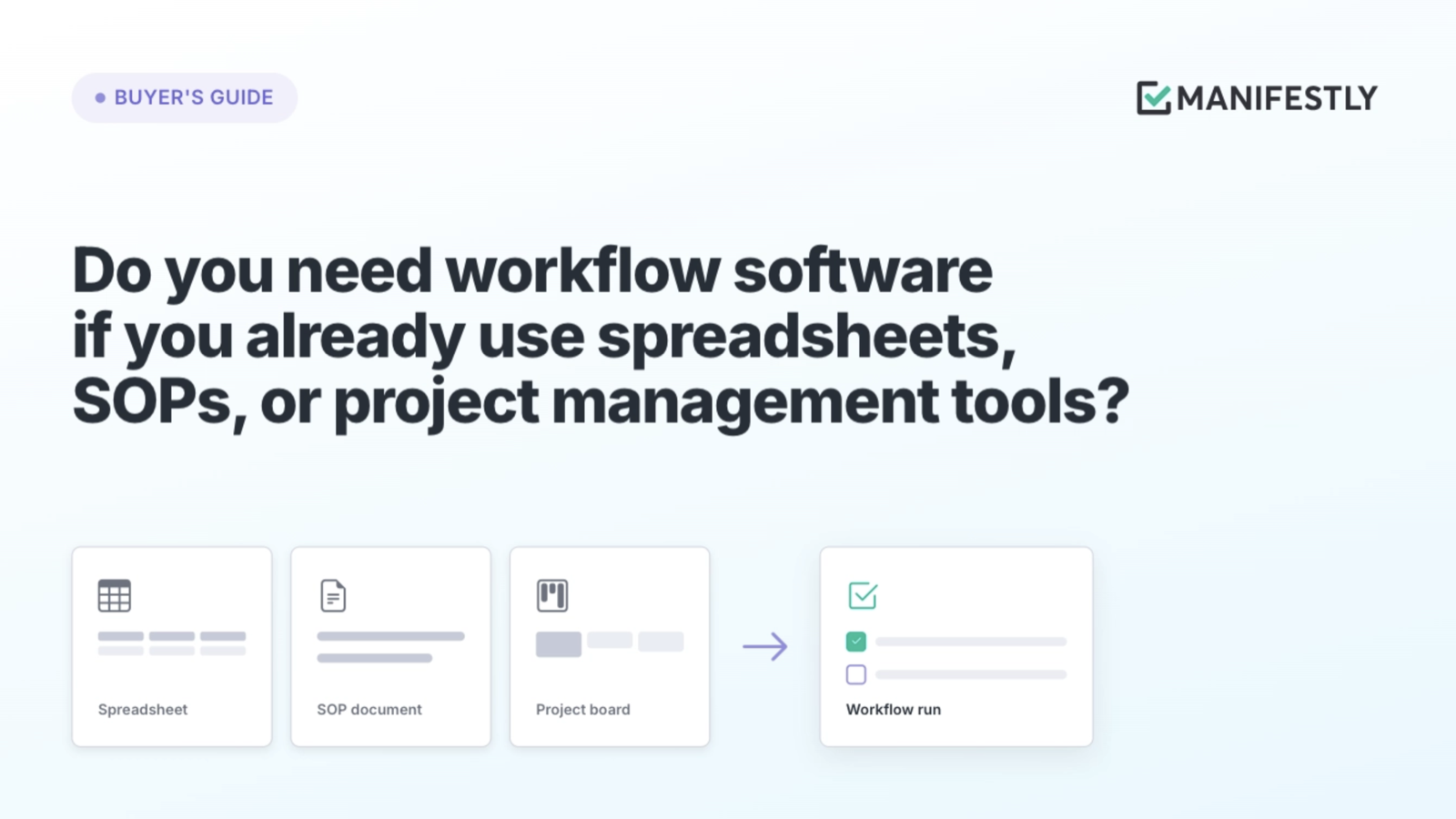
Workflow software earns its place by reducing the work people do to keep other tools coordinated.
Consider a month-end close checklist. Reconciliations live in spreadsheets, the SOP explains the procedure, and the project board lists the tasks. Yet the close owner still spends the last few days asking which reconciliations are ready, who has reviewed them, and what is holding up completion.
Every tool has a purpose. The close owner’s follow-up connects them.
Workflow software is worth considering when recurring work depends on someone manually starting the process, assigning responsibilities, chasing handoffs, and confirming completion. If your existing tools handle those requirements reliably at a reasonable maintenance cost, you may already have what you need.
The buying decision starts with the work between the tools. Who makes the next action happen, and how much effort does that take each time?
What happens between an assigned task and completed work?
Consider a bank reconciliation during month-end close. An accountant prepares it, a controller reviews it, and a discrepancy may require correction before approval. Each stage has a different owner and a different meaning.
The SOP can explain the procedure in detail. A spreadsheet can hold the calculations and supporting information. A task can remind the accountant that the reconciliation is due. The process also needs to establish how the controller learns it is ready, when review is due, and what happens if the controller returns it.
If those handoffs happen through separate messages, someone must send them, notice them, and follow up when they go unanswered. When the close owner asks for a status update, they are reconstructing a sequence the team has already performed.
That coordination is part of the work. Leaving it implicit makes the process depend on personal attention and memory, even when every procedure is documented.
A reliable workflow makes responsibility explicit: the accountant owns preparation, the controller owns review, and returned work has a clear path back to correction. The close owner can distinguish prepared work from approved work without asking everyone involved.
What does workflow software add to your existing tools?
Workflow software coordinates repeatable work through defined triggers, owners, deadlines, handoffs, review, and completion records. Its value comes from how those elements work together during each run of a process.
Your existing tools may already support some or all of that structure. The useful comparison is how the process runs in practice.
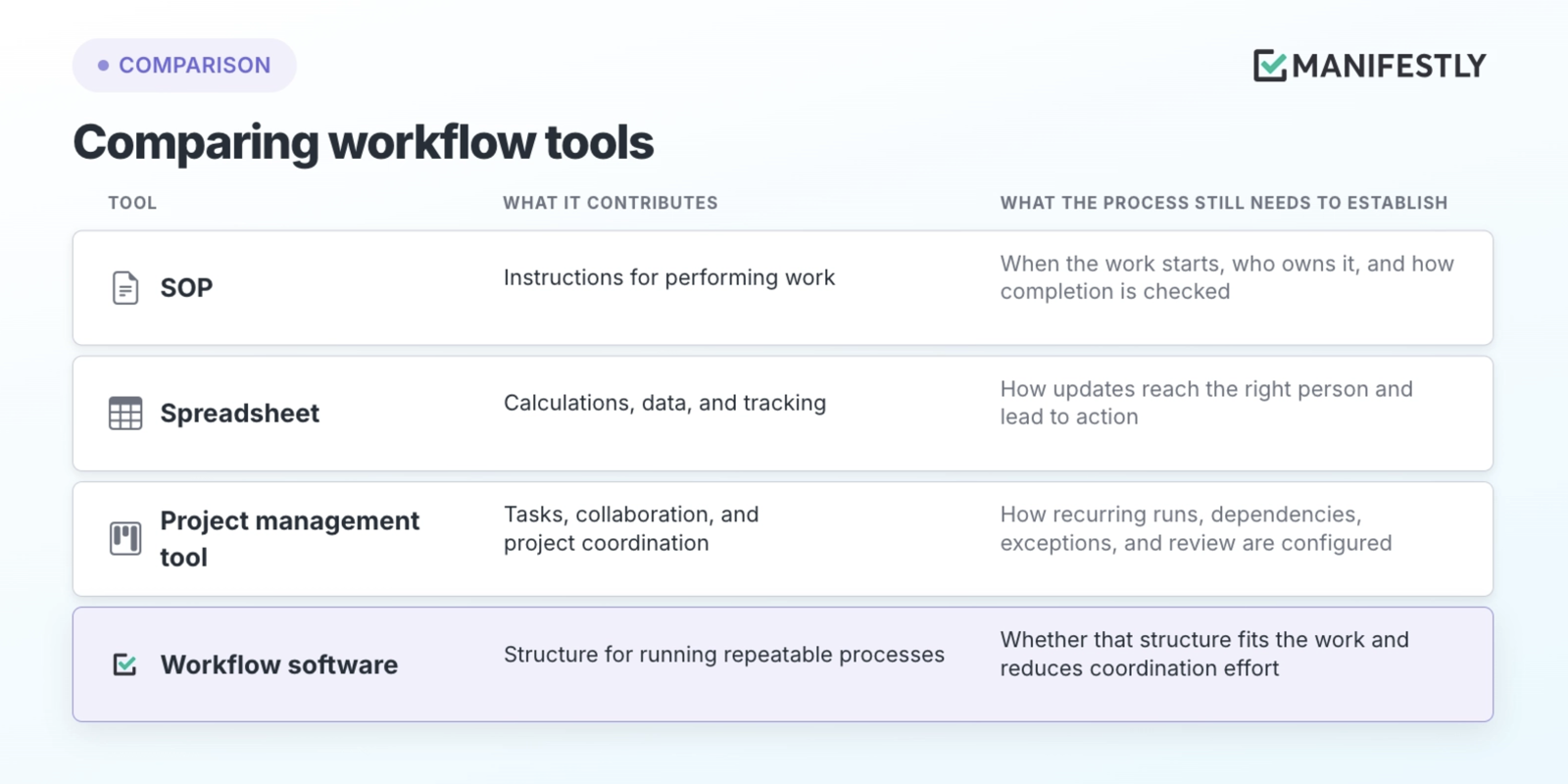
For the finance team, the reconciliation can remain in its spreadsheet. The workflow gives preparation and review their own assignments, due dates, and completion requirements. Each month has a distinct record rather than an overwritten status cell.
This is accountable execution: people know what they own, what requires their judgment, and what must happen before the work is considered complete.
Can your project management tool handle recurring workflows?
It may be able to. Many project management tools support recurring tasks, dependencies, forms, and automation. Test those capabilities against a complete process, including a delay or exception, before deciding to add another platform.
Take a property management team preparing a unit for the next tenant. Inspection identifies repairs, maintenance completes the work, cleaning follows, and a final review establishes readiness. An unexpected repair changes what must happen and may affect the dates of later steps.
A useful evaluation asks:
- Does each turnover have its own run and history?
- Are responsibilities and dates clear to staff and vendors?
- Can inspection findings add or change the required work?
- Can the team see what is blocked and who must act?
- Does someone own the final readiness review?
- Can the manager find the record for that unit afterward?
Then examine the upkeep. Who adjusts the assignments when staff change? Who repairs the schedule when a date moves? What happens when an automation fails?
If the existing setup handles the process reliably with reasonable maintenance, keep using it. If a manager continually moves dates, sends reminders, and checks whether handoffs happened, include that effort in the comparison.
Where does recurring work still depend on someone remembering?
The strongest signals are repeated coordination problems and the effort required to prevent them. Look at the work your team performs every week or month.
Someone may copy the same checklist, reset its dates, and recreate assignments each cycle. A finished task may sit until its owner remembers to notify the next person. A manager may search messages and files to establish whether a process is complete.
These habits can keep work moving. They also reveal responsibilities the process has left undefined. Ask what happens when the person who usually supplies that coordination is busy, absent, or covering another role.
A failed check creates more work
In a retail opening routine, an employee records a failed refrigeration temperature check. The finding appears in the checklist, but nobody has been assigned to respond.
The employee performed the check. The issue still needs an owner, an appropriate response, a deadline, and verification that it was resolved. If the process ends at recording the finding, the manager must discover and coordinate the remaining work separately.
That is an exception-handling problem. More reminders to complete the opening checklist will not define who responds to a failed check.
A useful workflow connects the finding to the response. The record should make it clear what needs attention and who owns it, while the appropriate people retain responsibility for deciding what action to take.
Will another tool reduce follow-up or add administration?
Another system earns its place when it makes work easier to find, perform, and hand off. Evaluate what it asks participants to remember, search for, communicate, and enter twice.
For month-end close, define the role of each system. The accounting system holds transactions. The spreadsheet holds the reconciliation. The SOP provides instructions. The workflow coordinates preparation, review, deadlines, and completion.
That division needs to be clear enough that an accountant knows where to submit the reconciliation and a controller knows where to review it. Requiring both people to update several independent status trackers creates more administration.
Integrations should be evaluated at the level of a specific action. Can an event start the work? Can a submitted file reach the reviewer? Can a completed step update the system that needs the information? A connection is useful when it removes a duplicate update or helps the next person act.
Test the participant experience with the people who will use it. Give them an assignment and observe whether they can find the instructions, access the supporting information, submit their work, and understand the next step.
Difficulty at those points is useful feedback about the design. Adoption improves when the system asks less of people’s memory and makes their responsibilities easier to carry out.
How much work does it take to put an existing SOP into a workflow?
Start with one process and use its existing instructions. The main work is identifying the responsibilities, timing, and decisions those instructions leave implicit.
An SOP might say, “Submit the reconciliation for review.” Turning that instruction into a workflow requires a named person or role, a review deadline, a submission location, and a response when changes are needed.
For a first implementation:
- Choose a recurring process that regularly requires chasing.
- Translate its instructions into steps with clear completion requirements.
- Assign owners and deadlines, including review and exception handling.
- Connect the files and systems participants need.
- Test both a normal run and one involving a correction or delay.
Keep the initial scope small enough to learn from actual use. A month-end close pilot could begin with a single preparation-and-review sequence before expanding to the broader close.
In Manifestly, that structure can take the form of assigned workflow steps, due dates, and review requirements. The purpose is to give the recurring handoffs a defined place to happen.
A process owner still needs to maintain the workflow as procedures and responsibilities change. Include that work in the evaluation, along with the coordination it replaces.
Can you verify completion without reconstructing what happened?
A useful completion record lets someone understand what was done, what information was submitted, and what review occurred. Different records establish different things.
For a reconciliation, a completed preparation step establishes a different fact from a controller’s approval. Supporting files let the reviewer examine the work. The decision history records the outcome of that review.
Those distinctions matter when deciding what “complete” should require. A timestamp alone cannot establish that a calculation is correct. Software helps collect evidence and structure review; people still need suitable information and judgment to verify the result.
Define the record you need before configuring the workflow. Otherwise, the team may finish the process and discover that the information required to explain it was never collected.
How do you decide whether workflow software is worth it?
Pilot one real process and compare its reliability and coordination burden with the current approach. Use the actual participants, deadlines, files, and review requirements.
For month-end close, record how much time the owner spends chasing updates, how long reviews wait, how often missing information causes work to be returned, and how difficult it is to establish completion. Compare those measures across representative runs, including a correction or delay.
Include setup, training, maintenance, subscription, and integration costs. A useful trial should reveal whether the process is easier to run at an acceptable total cost.
When your existing tools are enough
Your current setup may already make ownership and timing clear, move handoffs reliably, route exceptions to someone who can act, and preserve accessible review records. If maintaining it takes reasonable effort, a separate workflow tool may add little value.
The decision changes when reliable execution repeatedly depends on someone compensating for gaps in that setup. Measure that effort rather than assuming it is negligible because it does not appear on a software invoice.
Include the follow-up in the buying decision
Return to the person coordinating the close. Their reminders, status requests, and searches through supporting files help the process finish every month. That effort belongs in the cost of the current system.
Choose one recurring process that consistently needs chasing. Try Manifestly with its real assignments, deadlines, and review requirements, and see whether the next handoff happens with less intervention.
When you compare the price of workflow software with your current tools, include the work someone performs to keep those tools connected.
Frequently asked questions
What is the difference between workflow software and project management software?
Workflow software typically emphasizes repeatable processes with defined steps, assignments, timing, review, and records for each run. Project management software typically emphasizes organizing tasks and coordinating projects. Capabilities overlap, so evaluate how each product handles your actual recurring process.
Can you manage workflows in a spreadsheet?
Yes. A spreadsheet can support workflows with clear responsibilities and limited coordination needs. Evaluate how much manual effort is required to initiate each cycle, communicate handoffs, handle exceptions, and preserve completion records as the process grows.
Does workflow software replace SOPs?
SOPs explain how work should be performed. Workflow software connects those instructions to assignments, deadlines, review, and completion. Instructions can be linked or included within the workflow, depending on how the team maintains them.
Do small teams need workflow software?
Team size alone does not determine the need. A small team may have frequent handoffs, recurring deadlines, or important review requirements. Evaluate the coordination burden and consequences of missed work, then test whether software improves that process enough to justify its cost.