
AI-Assisted Operations Need Accountability
July 07, 2026

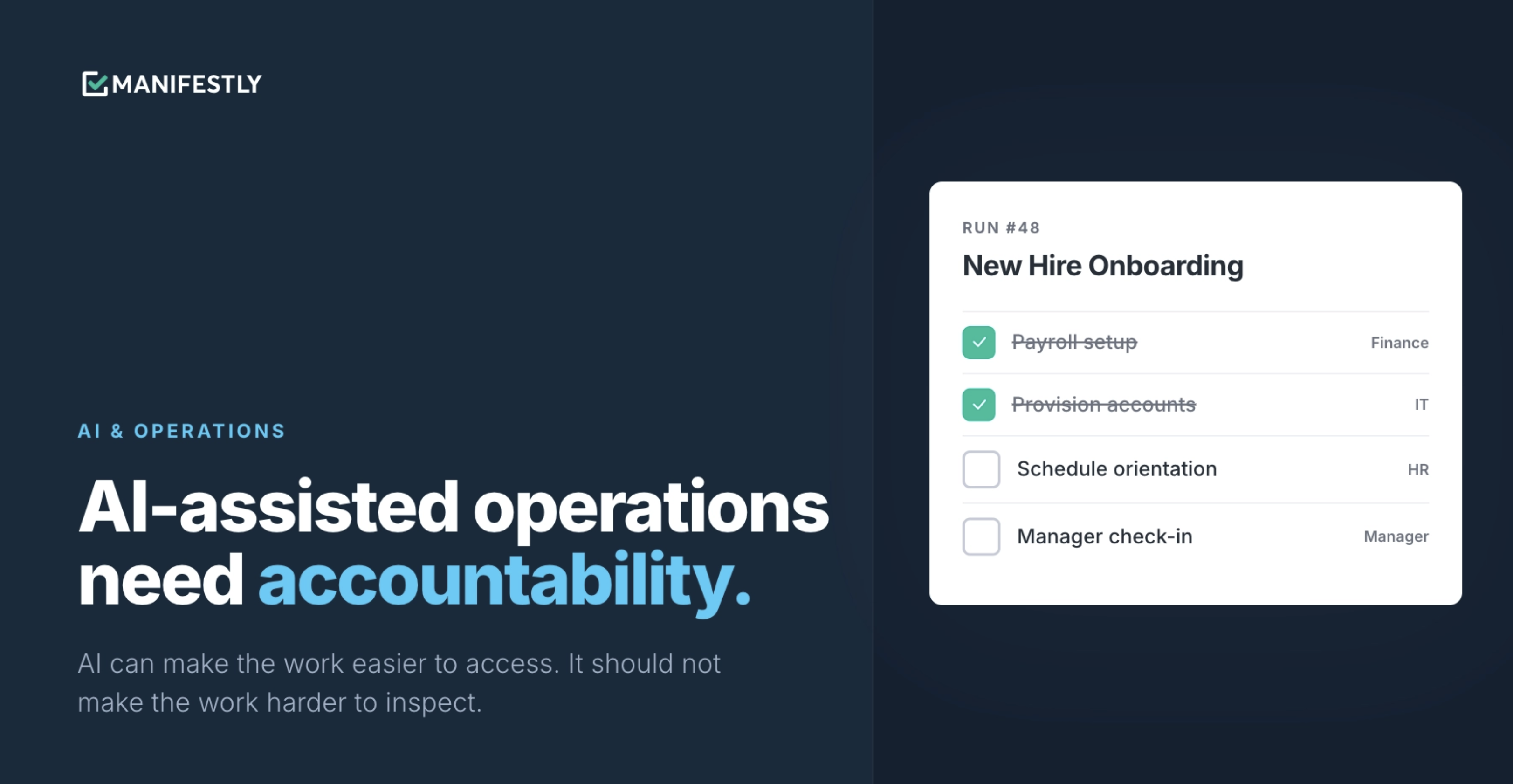
AI-assisted operations need accountability because operational work affects people, customers, compliance, and business continuity.
As AI assistants become more connected to the tools teams use every day, they are no longer limited to writing, summarizing, and brainstorming. They can help start processes, inspect status, update records, and interact with workflows.
That shift is useful. It can reduce friction and make recurring work easier to manage.
But it also raises a more important question: If AI helps work move forward, can the team still see what happened?
Operational work still needs clear ownership, permissions, due dates, visibility, and completion records. AI can make the work easier to access, but it should not make the work harder to inspect.
AI-assisted operations will only work if teams can trust the system underneath.
What AI-Assisted Operations Means
AI-assisted operations means using AI assistants to help start, inspect, update, or manage operational work across the systems a team already uses.
That can include asking an AI assistant to:
- Show overdue workflow runs
- Start an onboarding process
- Summarize incomplete steps
- Assign a task to a team member
- Add a comment to a workflow step
- Find where a handoff is stuck
- Help prepare for a status meeting
- Surface missing evidence in a compliance review
This is different from asking AI to draft a document or summarize a meeting. The assistant is not only generating output. It is helping a person interact with operational work.
That is where the opportunity is.
It is also where accountability matters most.
AI Is Entering Operational Work
For the first wave of AI adoption, most teams used AI as a writing and thinking tool. They asked it to draft emails, summarize transcripts, generate ideas, write documentation, and turn messy notes into clearer plans. That work was useful, but it was mostly separate from execution.
Now AI assistants are becoming connected to tools, data, and workflows. They are moving closer to the systems where work actually happens.
That means an assistant may not only help someone decide what should happen next. It may also help them start a process, inspect a workflow, update a step, or summarize what is late.
For operations, HR, compliance, customer success, IT, and leadership teams, that is a meaningful shift.
The question is no longer only: “Can AI help us work faster?”
The better question is: “Can we still see who owns the work, what changed, what is late, and what was completed?”
Speed is useful. Visibility is essential.
The Risk of Invisible Execution
The risk is not that AI helps with work. The risk is that work becomes easier to initiate but harder to inspect.
If a user asks an AI assistant to start a process, assign a task, update a record, or complete a step, the team still needs a clear answer to basic operational questions.
Who started the workflow?
Who approved the action?
What changed?
Which step was completed?
Who owns the next step?
What is late?
What was skipped?
What record exists?
These are not minor details. They are the foundation of operational trust.
If work happens in a chat thread but the team cannot clearly see the result in a shared system, visibility decreases. If a process is updated but no one knows what changed, accountability decreases. If an AI assistant helps move work forward but the record is scattered or unclear, leaders have less confidence in the process.
That is the opposite of what AI should do.
AI should make work easier to manage. It should not make work invisible.
Why Recurring Work Needs a System of Record
Recurring work needs durable records because it happens again and again.
New employees need to be onboarded. Customers need to be implemented. Compliance reviews need evidence. Access reviews need approvals. Safety inspections need to be completed. Weekly operations reviews need follow-up. Finance close tasks need to happen in the right order.
These processes often involve multiple people, deadlines, handoffs, and records. They are not only about getting the work done once. They are about making sure the work happens the right way every time.
That requires a system of record.
A system of record shows:
- Who owns each step
- When each step is due
- What has been completed
- What is overdue
- What was skipped
- What comments were added
- What evidence was captured
- Who made an update
- When the work was completed
For some teams, this is about efficiency. For others, it is about risk.
An HR team needs to know whether every onboarding step was completed before a new employee starts.
A customer success team needs to know where implementation is stuck before a customer loses confidence.
A compliance team needs to show who completed a review and what evidence was collected.
An operations team needs to know what is late before a missed step becomes a bigger problem.
A chat thread can help someone ask about the work. It should not become the only record that the work happened.
AI Should Reduce Friction, Not Remove Accountability
The goal is not autonomous work without accountability.
The goal is accountable work with less friction.
AI can make operational work easier to start, inspect, and manage. It can help users ask better questions, find the right workflow, surface overdue steps, summarize blockers, and move from question to action more quickly.
That is valuable, but AI-assisted work still needs boundaries. It still needs human judgment around exceptions, approvals, and sensitive decisions.
When teams adopt AI in operations, the point should not be to remove people from accountability. The point should be to make accountable work easier to execute.
A good AI-assisted workflow should answer both sides of the equation.
It should reduce friction:
- Make it easier to start a workflow
- Make it easier to find overdue work
- Make it easier to inspect status
- Make it easier to update routine steps
- Make it easier to capture comments
- Make it easier to prepare for reviews or meetings
And it should preserve accountability:
- Keep owners assigned
- Keep due dates visible
- Keep permissions in place
- Keep completion records attached to the workflow
- Keep comments and evidence connected to the step
- Keep the workflow visible to the team
AI should make structured work easier to use, not less structured.
Where Claude and Manifestly Fit
Claude can become a conversational interface for operational work. Manifestly remains the workflow execution system.
That distinction matters.
When Claude is connected to Manifestly through MCP, a user can ask Claude to interact with workflows in a more natural way.
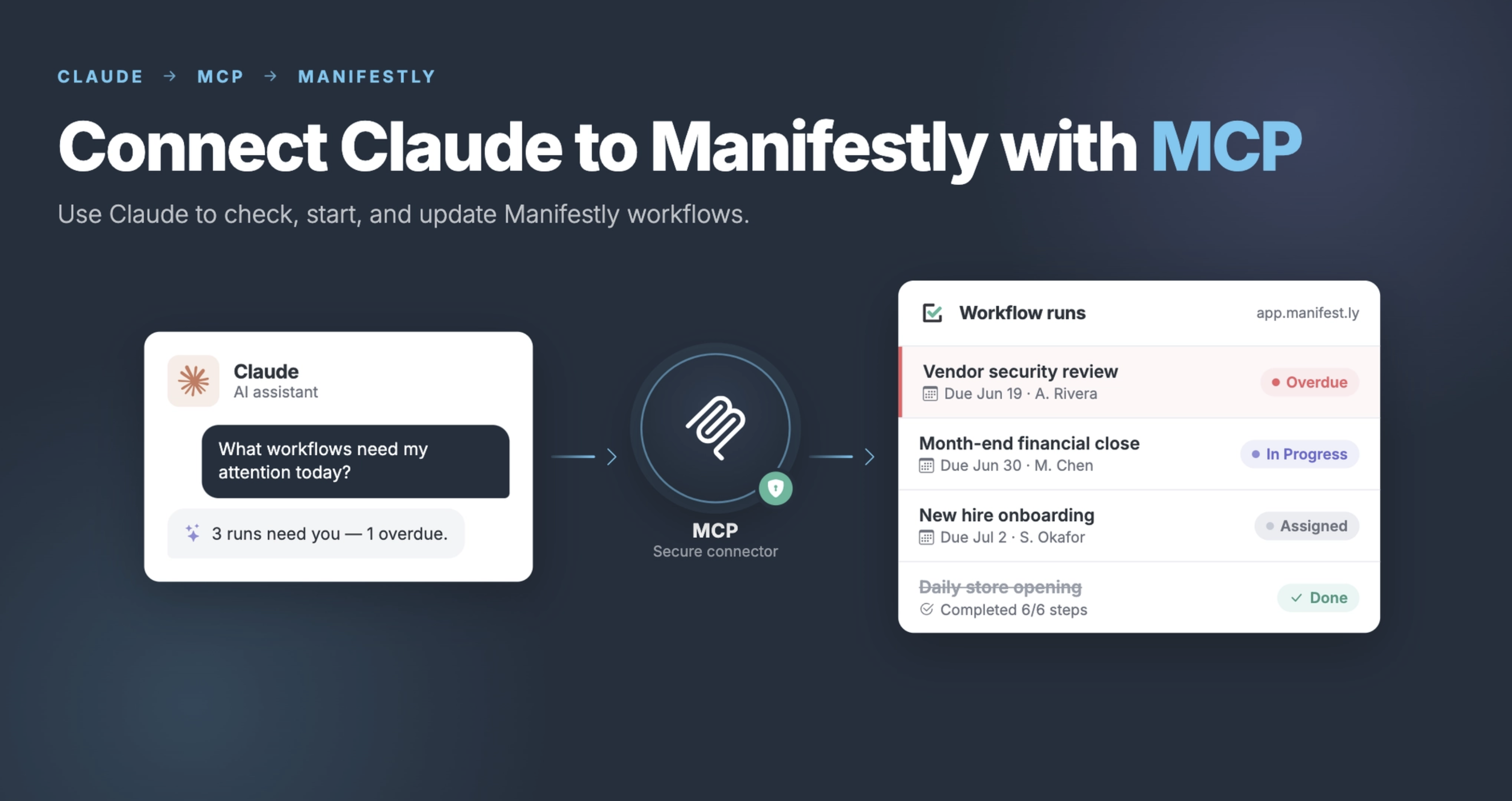
For example:
What workflow runs are overdue?
What needs my attention today?
Start the new hire onboarding workflow for Jane.
Who owns the next step in the customer onboarding workflow?
Add a comment to the access review step.
Show me where the compliance review is stuck.
Claude makes the workflow easier to access.
Manifestly keeps the work structured, visible, assigned, and trackable.
The workflow does not disappear into a chat thread. It stays in Manifestly, where the team can see ownership, due dates, step status, comments, completion history, and the process record.
That is the right model for AI-assisted operations.
The assistant helps users interact with the work. The workflow system keeps the work accountable.
What Teams Should Look For in AI-Assisted Workflow Software
As teams begin using AI assistants inside operational work, they should evaluate more than convenience.
Convenience matters, but trust matters more.
If AI is going to help start, inspect, or update workflows, the underlying system should support accountability.
Here is what teams should look for.
Clear Workflow Ownership
Every workflow should have clear ownership.
The team should know who is responsible for the overall process and who owns each step.
Without ownership, AI can surface tasks, but it cannot create accountability across the team.
Assigned Steps
Recurring work should not depend on a generic checklist that everyone can see but no one owns.
Each step should be assigned to a person, role, or team.
This is especially important for handoffs between HR and IT, sales and customer success, operations and compliance, or managers and team members.
Due Dates and Timing
Operational work often depends on timing.
Some steps need to happen before a start date. Some need to happen before a customer kickoff. Some need to happen weekly, monthly, quarterly, or annually.
A workflow system should make due dates visible and help the team see what is late.
Reminders
If recurring work depends on memory, it will eventually break down.
A good workflow system should remind the right person at the right time.
AI can help users ask what is due, but the system underneath should still support reminders and follow-up.
Visibility Into Overdue Work
Teams need a clear way to see what is late.
Managers should not have to hold another status meeting just to find out which steps are incomplete.
AI can make this easier by letting users ask natural-language questions, but the answer should come from a structured workflow system.
Completion Records
For many operational processes, completion matters only if it can be verified.
A workflow system should show who completed a step, when it was completed, and what record was attached.
This matters for onboarding, audits, reviews, approvals, inspections, and customer-facing handoffs.
Comments, Fields, and Evidence
Some workflows need more than a checkbox.
They need comments, files, approvals, form fields, or evidence.
AI-assisted operations should preserve that context. The information should stay attached to the workflow step, not scattered across chat threads and documents.
User-Based Permissions
AI should not create a shortcut around permissions.
If a user does not have access to a workflow, the assistant should not give them access through the back door.
Permissions matter because operational workflows often include sensitive employee, customer, financial, or compliance information.
Repeatable Workflow Templates
Recurring work should be repeatable.
Teams should be able to start from a workflow template instead of recreating the process every time.
AI can make it easier to start the right workflow, but the template should still provide the structure.
Approvals for Important Actions
Not every action should be automatic.
For sensitive workflows, teams may want human review before completing a step, skipping a requirement, approving an exception, or updating important fields.
AI should support the process, not remove judgment from the process.
Practical Example: AI-Assisted Onboarding
Consider new hire onboarding. A manager asks an AI assistant:
Start onboarding for Jane.
Without a workflow system underneath, that request might create a checklist, draft an email, or summarize what should happen. That may help, but it does not create accountability.
Who owns payroll setup?
Who orders the laptop?
Who creates the email account?
Who schedules orientation?
Who confirms the manager check-in?
What is already late?
What record shows that onboarding was completed?
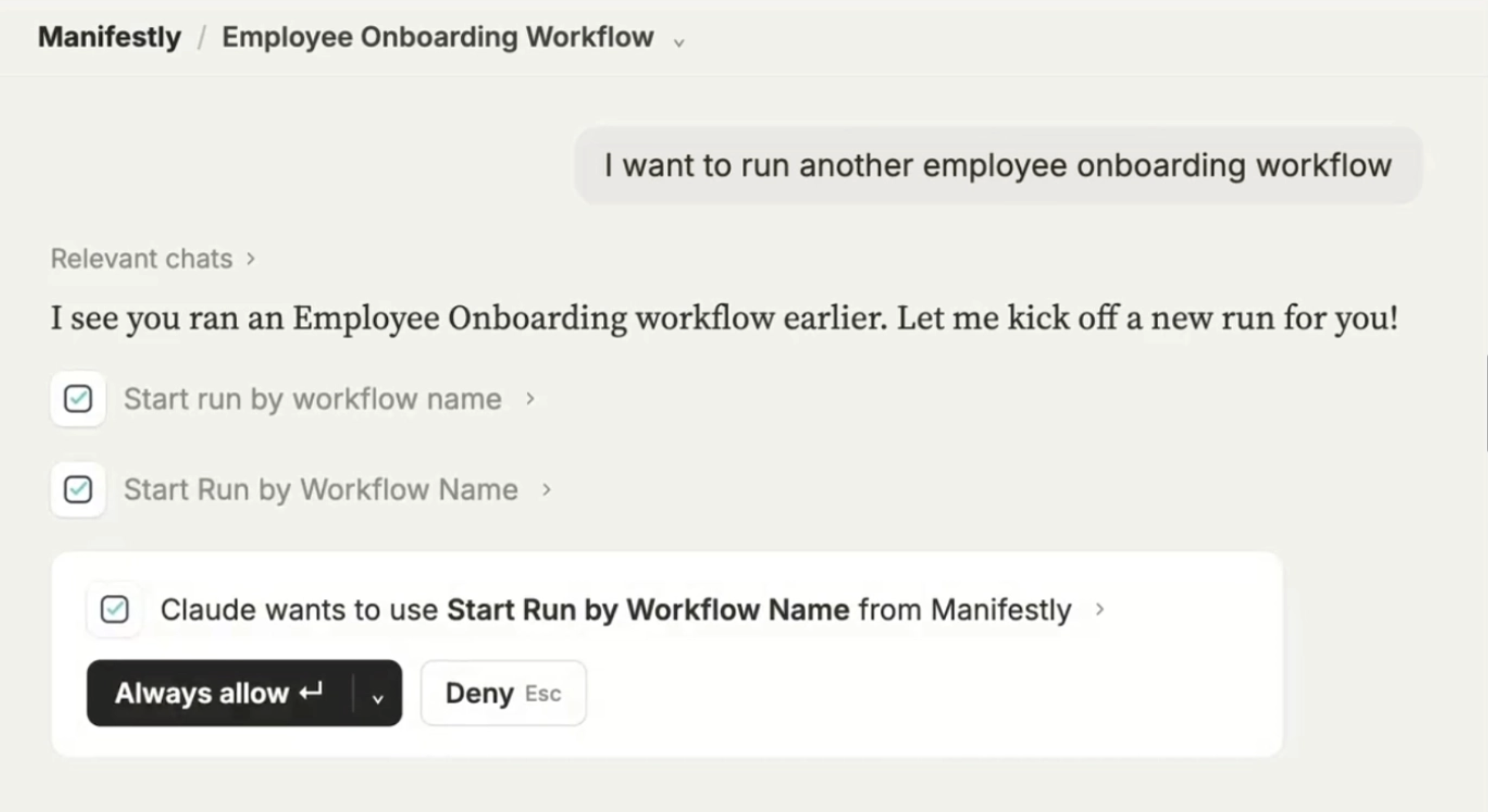
Now compare that to AI-assisted onboarding with a workflow system underneath. The manager asks Claude:
Start the new hire onboarding workflow for Jane. Her first day is next Monday.
Claude helps initiate the workflow. Manifestly starts the onboarding run from the right template.
HR owns the paperwork. IT owns equipment and account setup. Finance owns payroll. The hiring manager owns the first-week schedule and manager check-in. Due dates are based on Jane’s start date. Reminders go to the right people. Managers can see what is overdue. Completion records stay attached to the workflow.
The AI assistant reduced friction. The workflow system preserved accountability.
That is the model teams need as AI becomes more connected to operational work.
Practical Example: AI-Assisted Compliance Review
The same principle applies to compliance work. A compliance manager might ask:
What is missing from the Q2 access review?
That question is useful.
But the answer is only trustworthy if the underlying system knows which steps exist, who owns them, what evidence was required, what was completed, and what remains open.
With AI alone, the manager may get a summary. With AI connected to a workflow system, the manager can inspect the live process.
Which review steps are incomplete?
Who owns each one?
Which evidence fields are still empty?
What comments were added?
What is overdue?
What was completed on time?
For compliance, the record matters.
AI can make the review easier to inspect, but the workflow system needs to maintain the durable record.
The Trust Layer Under AI-Assisted Operations
AI adoption often focuses on the assistant.
Which model is better?
Which assistant writes faster?
Which tool can connect to more systems?
Those questions matter, but they are not enough for operational work. For operations, the trust layer underneath the assistant matters just as much.
Teams need to trust that the process is structured. They need to trust that permissions are respected. They need to trust that ownership is clear. They need to trust that late work is visible. They need to trust that completion is recorded. They need to trust that a workflow can be repeated the same way next time.
Without that trust layer, AI may create more movement but less confidence.
With that trust layer, AI can make structured work easier to run.
The Future of AI-Assisted Operations
AI assistants will keep becoming more capable.
They will connect to more systems, support more actions, and become a more natural way to interact with work.
That future can be useful, but only if teams keep accountability at the center.
The future of AI-assisted operations should not be a world where work happens invisibly in chat and teams hope the right things got done.
It should be a world where AI makes operational work easier to start, easier to inspect, and easier to manage while the system underneath keeps ownership, timing, visibility, and records intact.
AI should reduce friction. It should not remove accountability.
Use AI to Interact With Your Workflows, Not Hide Them
AI can make operational work easier to access.
It can help teams ask better questions, start workflows faster, inspect status more easily, and reduce manual follow-up.
But the work still needs structure.
Use AI to interact with your workflows, not hide them.
Start with one recurring process your team already runs. Build it as a workflow in Manifestly. Connect Claude through MCP. Then use your AI assistant to start, inspect, and manage the work while Manifestly keeps the process assigned, visible, and accountable.
Learn more at manifest.ly/ai-integrations/claude
Frequently Asked Questions
What is AI-assisted operations?
AI-assisted operations means using AI assistants to help start, inspect, update, or manage operational work across business systems and workflows. This can include checking status, starting workflow runs, finding overdue work, assigning tasks, adding comments, and summarizing blockers.
Why do AI-assisted operations need accountability?
AI-assisted operations need accountability because operational work affects employees, customers, compliance, and business continuity. Teams still need to know who owns each step, what changed, what is late, and what was completed.
What is the risk of using AI in operational workflows?
The risk is that work becomes easier to initiate but harder to inspect if it does not happen inside a structured system. AI-assisted workflows need ownership, permissions, visibility, due dates, and completion records.
Should AI own operational work?
In most teams, AI should assist with operational work rather than own it completely. People should remain accountable for decisions, approvals, exceptions, and outcomes.
How can teams make AI workflow automation more accountable?
Teams can make AI workflow automation more accountable by using a workflow system with assigned owners, due dates, reminders, permissions, comments, evidence capture, completion records, and visibility into overdue work.
Why do recurring workflows need a system of record?
Recurring workflows need a system of record because they happen repeatedly and often involve multiple people, deadlines, handoffs, and proof. A system of record shows who did what, when it happened, what is late, and what was completed.
How does Manifestly support AI-assisted operations?
Manifestly helps teams run recurring workflows with assigned steps, due dates, reminders, visibility, comments, fields, and completion records. When connected to Claude through MCP, Claude becomes a conversational interface for workflows while Manifestly remains the system where work is run and recorded.