
A Prompt Is Not a Workflow
June 30, 2026
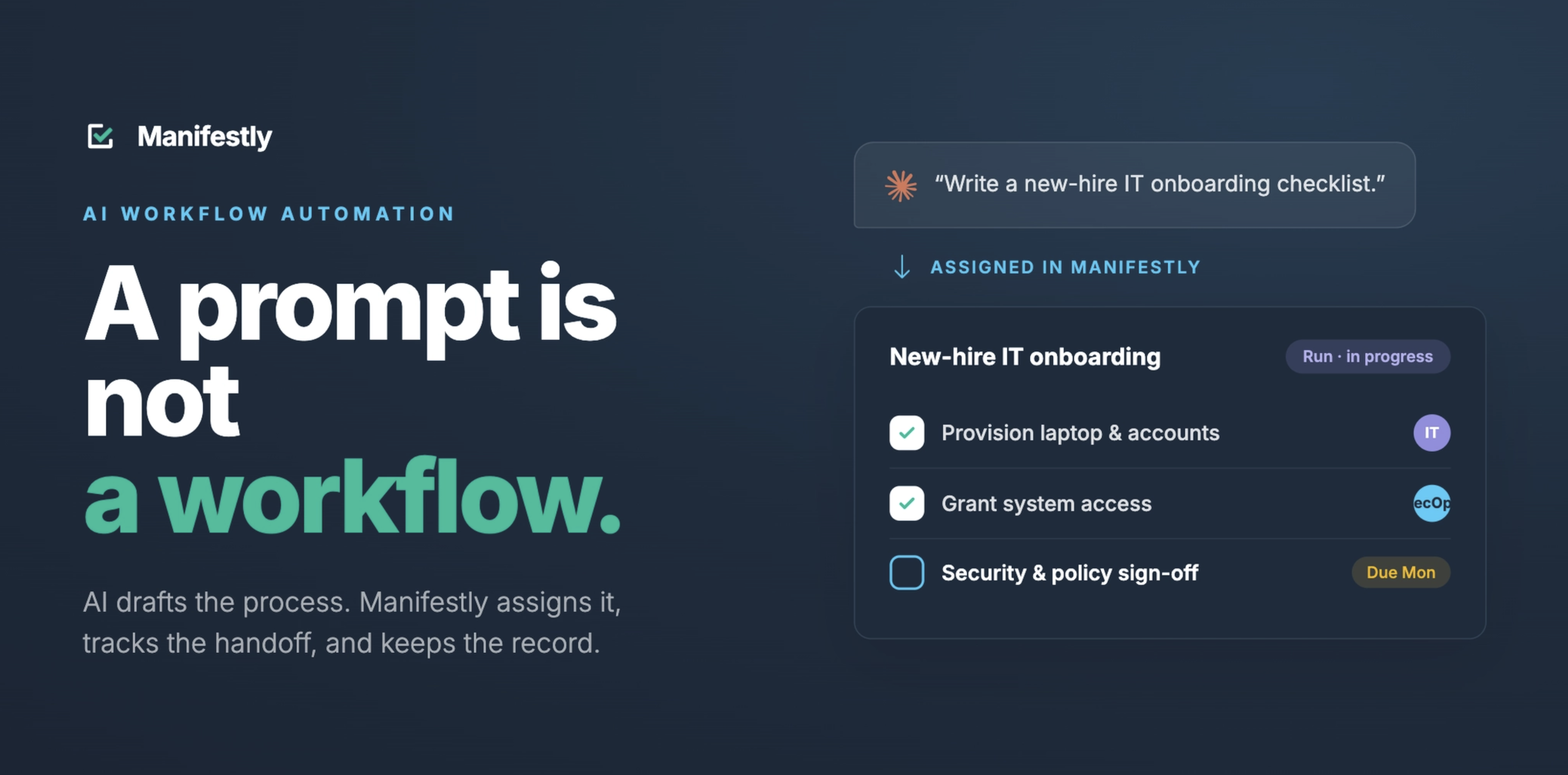
A prompt is not a workflow.
An AI prompt can generate a checklist, summarize a process, or suggest next steps. A workflow assigns the work, sets deadlines, sends reminders, tracks progress, and creates a record of completion.
That distinction matters as more teams use AI assistants like Claude and ChatGPT to help plan, document, and initiate work.
AI can help describe what needs to happen. But recurring business processes still need a system that makes sure the work actually gets done.
The AI Adoption Gap
Teams are using AI to move faster.
They use it to draft SOPs, summarize meetings, create onboarding checklists, review process notes, identify bottlenecks, and turn messy instructions into clearer plans.
That is useful work.
For many teams, AI has made the first draft of almost anything easier. If you need a checklist, a policy outline, a project plan, or a summary of what happened in a meeting, an AI assistant can help you get there quickly.
But there is a gap between planning the work and running the work.
A checklist generated in a chat thread does not assign the first step to HR. A summary of a customer onboarding process does not remind the implementation manager that their task is due tomorrow. A draft compliance checklist does not capture who completed each review, when it was done, and what evidence was collected.
AI has made planning faster. It has not automatically made follow-through more reliable.
That is the adoption gap many teams are running into now.
They can create more process documentation than ever before, but the work still has to move across people, systems, deadlines, handoffs, and approvals.
At some point, the question changes from: “What should we do?” to: “Who is doing it, by when, and how do we know it was completed?”
That is where prompts stop being enough.
What a Prompt Can Do
Prompts are useful.
A good prompt can help a team get from a vague idea to a more structured starting point. It can take scattered notes and turn them into a draft process. It can help someone think through edge cases, identify missing steps, or improve an existing SOP.
For example, you can ask AI to:
- Create a new hire onboarding checklist
- Summarize a customer implementation process
- Draft a monthly compliance review SOP
- Suggest the steps in an IT access review
- Identify bottlenecks in a recurring operations process
- Rewrite a checklist so it is easier to follow
That is valuable because many processes start messy. Someone knows what needs to happen, but it lives in their head. Or it is buried in an old document. Or it is scattered across Slack, email, spreadsheets, and tribal knowledge.
AI can help turn that raw material into something clearer. It can help a team write down the work, but writing down the work is not the same as running it.
What a Prompt Cannot Do
A prompt can produce a response. It cannot, by itself, create operational accountability.
It cannot reliably make the right person own the right step.
It cannot enforce a deadline.
It cannot remind someone before work becomes late.
It cannot show a manager which steps are incomplete across every active workflow run.
It cannot maintain a clean completion record across weeks, months, or years of recurring work.
It cannot replace a workflow system.
That is not a criticism of AI. It is a clarification of what AI is good at. AI is good at language, reasoning, summarization, drafting, and interaction. It can help you think through a process and make it easier to access.
But recurring work needs more than a response.
It needs structure, ownership, timing, and visibility. Without those things, the process still depends on people remembering to follow up manually.
That is where recurring work breaks down.
What a Workflow Does
A workflow turns a process into assigned, trackable work.
It does not just say what should happen. It creates a system for making sure it happens.
A workflow can:
- Assign owners to specific steps
- Set due dates
- Trigger reminders
- Show what is complete
- Show what is overdue
- Track handoffs between people or teams
- Capture comments, files, form fields, and evidence
- Create a record of who did what and when
- Make recurring work repeatable
That is the difference between a checklist and a workflow run.
A checklist says: “Here are the steps.”
A workflow run says: “Here are the steps, here is who owns them, here is when they are due, here is what is complete, and here is what still needs attention.”
For recurring business work, that difference matters.
Most important operational processes do not fail because nobody can describe them. They fail because ownership is unclear, timing is informal, follow-up is manual, and visibility comes too late.
Why the Distinction Matters for Recurring Work
Recurring work is different from one-off work. It happens again and again.
New employees need to be onboarded. Customers need to be implemented. Safety inspections need to be completed. Compliance reviews need evidence. Access reviews need approvals. Weekly operations reviews need follow-up. Finance close tasks need to happen in the right order.
These processes are rarely complicated because nobody knows what should happen. They are complicated because they involve multiple people, handoffs, deadlines, dependencies, and records.
For example, employee onboarding may involve HR, IT, finance, the hiring manager, and the new employee. Customer onboarding may involve sales, customer success, implementation, billing, support, and sometimes product. Compliance reviews may involve operations, IT, legal, finance, and leadership.
When these processes live in a document or a chat thread, the burden of execution shifts back to people. Someone has to remember to start the process, assign the next task, check what is late, and follow up when needed.
That person often becomes the invisible system holding the work together.
A workflow reduces that dependency.
It gives the process a structure that does not rely on one person’s memory and follow-through.
Practical Example: AI-Generated Checklist vs. Workflow Run
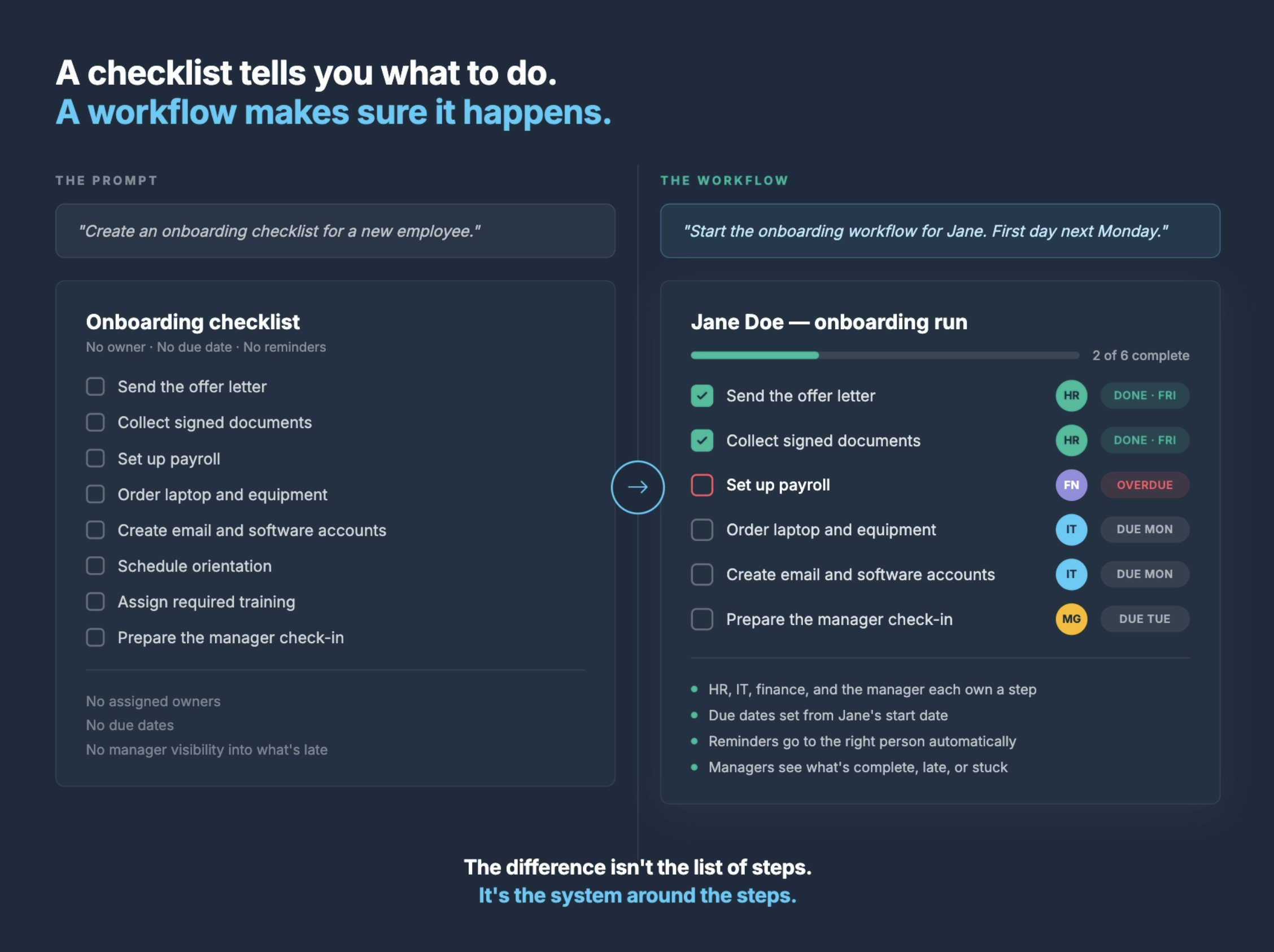
Imagine you ask an AI assistant:
Create an onboarding checklist for a new employee.
The assistant might produce a useful list:
- Send the offer letter
- Collect signed documents
- Set up payroll
- Order laptop and equipment
- Create email and software accounts
- Schedule orientation
- Assign required training
- Prepare the manager check-in
- Confirm first-week schedule
That is a good starting point, but it is still just a checklist.
Nobody has been assigned. No due dates have been set. No reminders will go out. No manager can see what is late. No completion record exists. No one knows whether IT finished account setup unless someone checks manually.
Now compare that to a workflow.
Instead of stopping at:
Create an onboarding checklist.
The team starts a workflow:
Start the onboarding workflow for Jane. Her first day is next Monday.
Now the process can become assigned work.
HR owns the paperwork. IT owns equipment and account setup. Finance owns payroll. The hiring manager owns the first-week schedule and check-in. Each step has timing based on Jane’s start date. Reminders go to the right people. Managers can see what is complete, what is overdue, and where the process is stuck.
The difference is not the list of steps. The difference is the system around the steps.
The prompt helps create the plan. The workflow makes the plan operational.
Where Claude and Manifestly Fit
AI assistants are becoming easier ways to interact with the systems teams already use.
That is where Claude and Manifestly fit together.
Claude can become the conversational interface. Manifestly remains the workflow execution system.
With Manifestly connected through MCP, teams can use Claude to interact with recurring workflows in a more natural way. Instead of opening a dashboard every time they need an update, they can ask Claude questions like:
What workflow runs are overdue?
What needs my attention today?
Start the new hire onboarding workflow for Jane.
Who owns the next step in the customer onboarding workflow?
Add a comment to the access review step.
Show me where the compliance review is stuck.
Claude makes the workflow easier to access. Manifestly keeps the work structured and on time.
That means the process still has owners, deadlines, reminders, visibility, and a completion record. The work does not disappear into a chat thread. It stays in the system where the team can track and manage it.
This is the important shift.
AI does not have to replace workflow systems to be useful. It can make workflow systems easier to use.
AI Output Still Needs Operational Structure
One of the risks of AI adoption is that teams create more outputs without creating better systems.
More checklists, summaries, and drafts. But more output does not automatically create better execution.
If the work is still unassigned, invisible, and manually followed up on, the team has not solved the operational problem. It has only created a clearer description of the work that still needs to be managed.
This is especially important for teams using AI to generate SOPs and checklists.
An AI-generated SOP may be useful, but if it sits in a document, it is still passive.
It does not start itself. It does not notify the right person. It does not adjust to deadlines. It does not show what is late. It does not create a record of completion.
To become operational, the SOP needs to become a workflow. That is the next step many teams miss. They use AI to create the process, but they never turn the process into something the team can actually run.
How to Turn an AI-Generated Checklist Into a Workflow
If your team is already using AI to create checklists or SOPs, the next step is to operationalize them.
Start with one recurring process.
Choose something your team already does repeatedly, such as onboarding, customer implementation, compliance review, weekly operations, or an internal approval process.
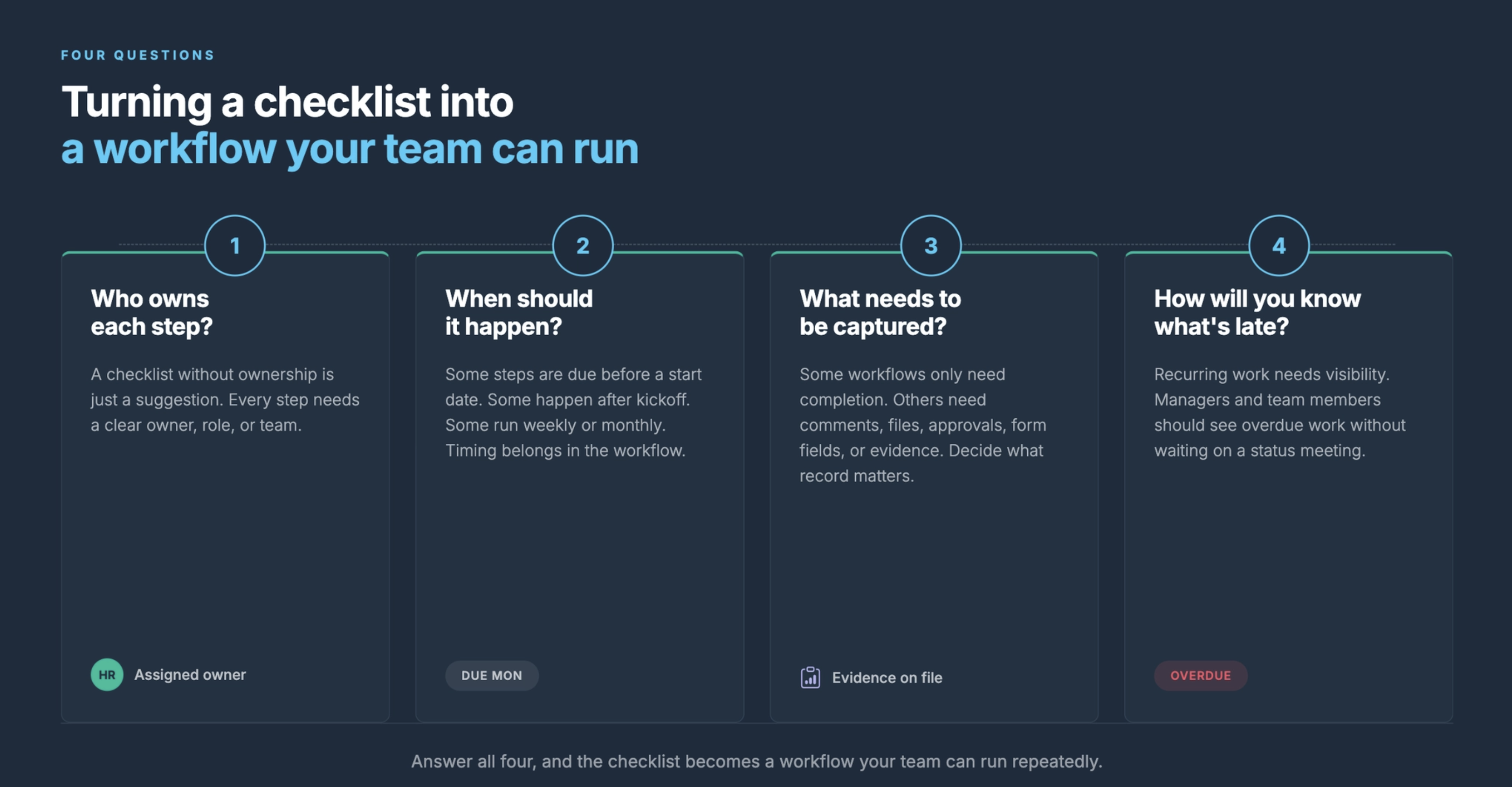
Then ask four questions.
First, who owns each step?
A checklist without ownership is just a suggestion. Every step should have a clear owner, role, or team.
Second, when should each step happen?
Some steps are due before a start date. Some happen after kickoff. Some happen weekly or monthly. Timing needs to be built into the workflow.
Third, what needs to be captured?
Some workflows only need completion. Others need comments, files, approvals, form fields, or evidence. Decide what record matters.
Fourth, how will the team know what is late?
Recurring work needs visibility. Managers and team members should be able to see overdue work without waiting for a status meeting.
Once those questions are answered, the checklist can become a workflow your team can run repeatedly.
The AI assistant can still help. It can draft the steps, improve the wording, suggest missing items, and help interact with the workflow.
But the work should live in a system that can assign, remind, track, and record.
The Future Is Not Prompts Replacing Workflows
The future of AI at work is not every process living inside a chat thread. Chat is a useful interface, but it is not a system of record for recurring operational work.
The future is AI assistants connecting to the systems where work is already assigned, tracked, and completed.
That is a better model.
AI can help people access the work more easily. It can help teams ask better questions. It can help start workflows, check status, summarize what is late, and reduce the manual effort of finding information.
But the workflow still matters. The structure still matters. The record still matters.
A prompt can describe the work. A workflow runs the work.
And when AI connects to workflows, teams get the best of both: a more natural way to interact with work and a reliable system that makes sure the work gets done.
Turn One Checklist Into a Workflow
AI can help you create a better checklist. Manifestly helps your team run it.
Start with one recurring process your team already manages manually. Turn the checklist into a workflow with assigned owners, due dates, reminders, and visibility.
Then connect Claude through MCP and use your AI assistant to help start, check, and manage the workflow.
Turn one AI-generated checklist into a workflow your team can actually run.
Learn more at manifest.ly/ai-integrations/claude
Frequently Asked Questions
Is a prompt the same as a workflow?
No. A prompt can generate a response, checklist, or plan. A workflow assigns the work, tracks progress, sends reminders, creates visibility, and records completion.
What is the difference between an AI-generated checklist and a workflow?
An AI-generated checklist describes what should happen. A workflow turns those steps into assigned, trackable work with owners, due dates, reminders, status visibility, and completion history.
Can AI create workflows?
AI can help draft workflow steps, suggest process improvements, and turn messy notes into a clearer structure. But the workflow still needs to live in a system that can assign owners, set deadlines, send reminders, and track completion.
Can Claude manage recurring workflows?
Claude can help interact with recurring workflows when connected to a workflow system through MCP. With Manifestly, Claude can become the conversational interface while Manifestly remains the system where workflows are run, tracked, and recorded.
Why does recurring work need a workflow system?
Recurring work involves repeated handoffs, deadlines, accountability, and visibility. Without a workflow system, follow-up often depends on memory, meetings, email, or manual status checks.
What kinds of processes should become workflows?
Good candidates include new hire onboarding, customer onboarding, compliance reviews, IT access reviews, safety inspections, weekly operations reviews, monthly finance close, approval processes, and any recurring process where missed steps create risk.