
Latest features
Built-in Workflow Feedback Setting
Built-in Workflow Feedback Setting
Released March 26, 2026
Give your team a simple way to suggest improvements to any workflow — right from the run.
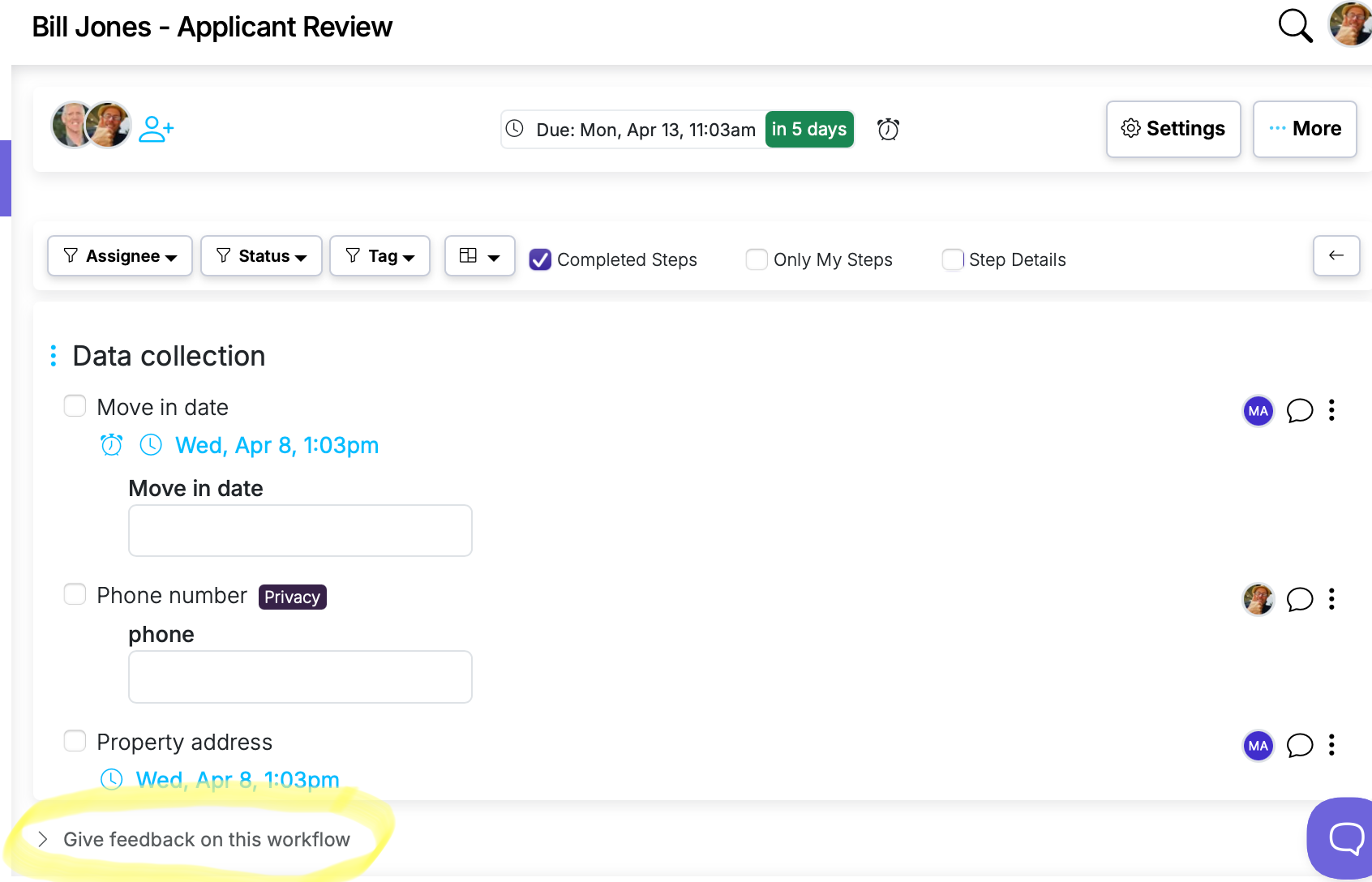
Now live in Manifestly
Built-in Workflow Feedback Setting
It's live in every account — read the details or jump in and try it.
Workflows improve when the people using them can share what's working and what isn't. Now you can enable a feedback option directly on runs so team members can submit suggestions without leaving the page.
How it works
- Open Workflow Settings and enable Display Give Feedback on runs.
- A "Give feedback on this workflow" link appears at the bottom of every run for that workflow.
- Clicking it expands a text field where the user can type their feedback and submit.
Details
- Feedback is saved as a comment on the workflow, visible in the workflow's activity.
- The form is compact and hidden by default — it doesn't clutter the run view.
- Guest users do not see the feedback option.
- Users can submit feedback multiple times on the same run.
Built-in Workflow Feedback Setting is live in every account
Open Manifestly to try it, or book a walkthrough with our team.