
Latest features
Workflow editor modes for focused workflow editing
Workflow editor modes for focused workflow editing
Released April 12, 2026
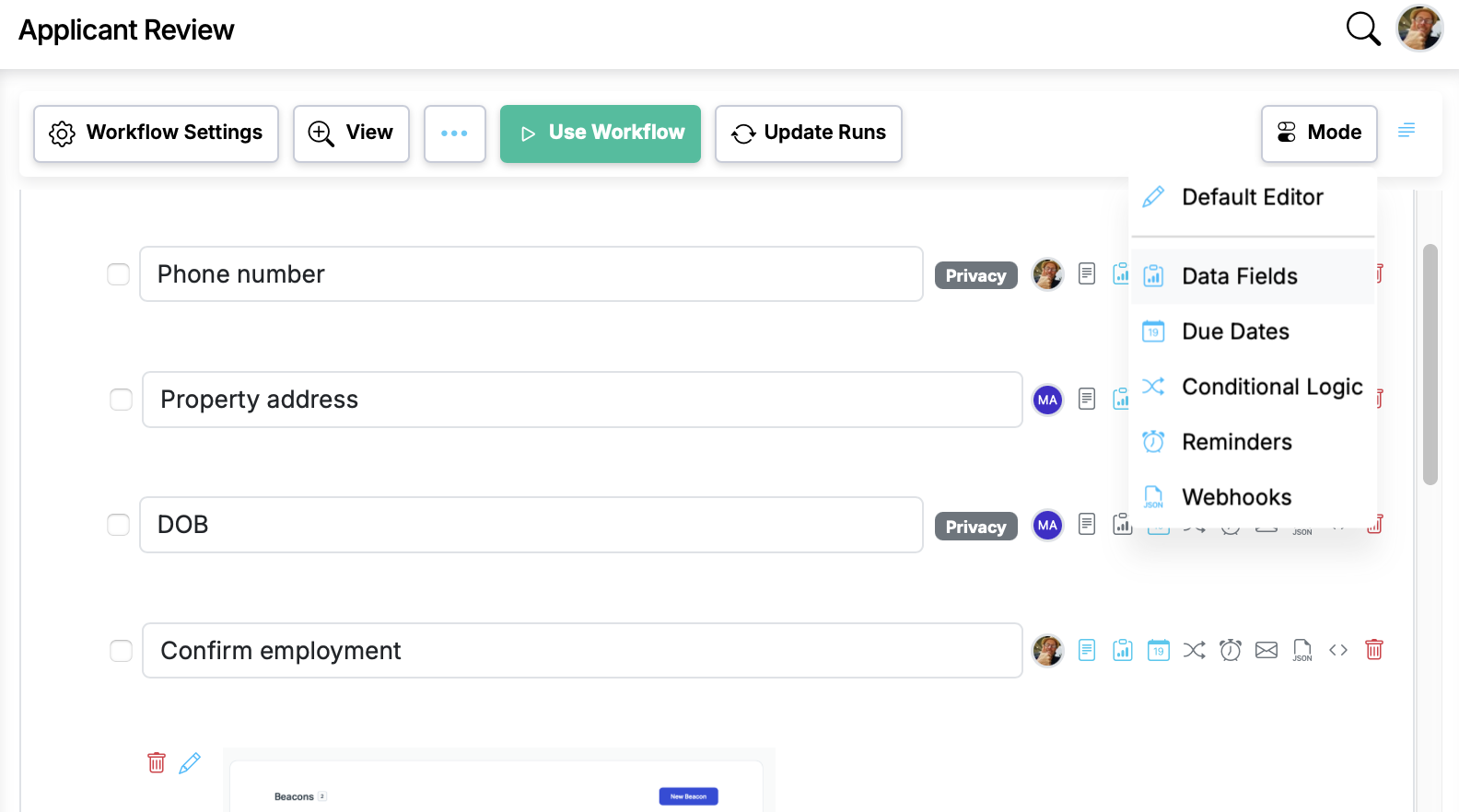
Introduces a modes system that lets users focus on one dimension of their workflow at a time (Data Fields, Due Dates, Conditional Logic, Reminders, Webhooks). A dropdown in the editor toolbar switc...
Now live in Manifestly
Workflow editor modes for focused workflow editing
It's live in every account — read the details or jump in and try it.
What Modes do
A new dropdown in the editor toolbar switches the editor into one of five focused views:
- Data Fields See and edit the form fields on every step.
- Due Dates Review and set relative due dates across the workflow.
- Conditional Logic See which steps show or hide based on rules.
- Reminders Audit and configure reminder notifications.
- Webhooks See which steps fire webhooks, and edit their configuration.
When you pick a mode, every step collapses to its title, and the dimension you're working on appears directly underneath with its own edit button. Everything else gets out of the way.
Workflow editor modes for focused workflow editing is live in every account
Open Manifestly to try it, or book a walkthrough with our team.