
Latest features
Share dashboard items with specific users
Share dashboard items with specific users
Released April 23, 2026
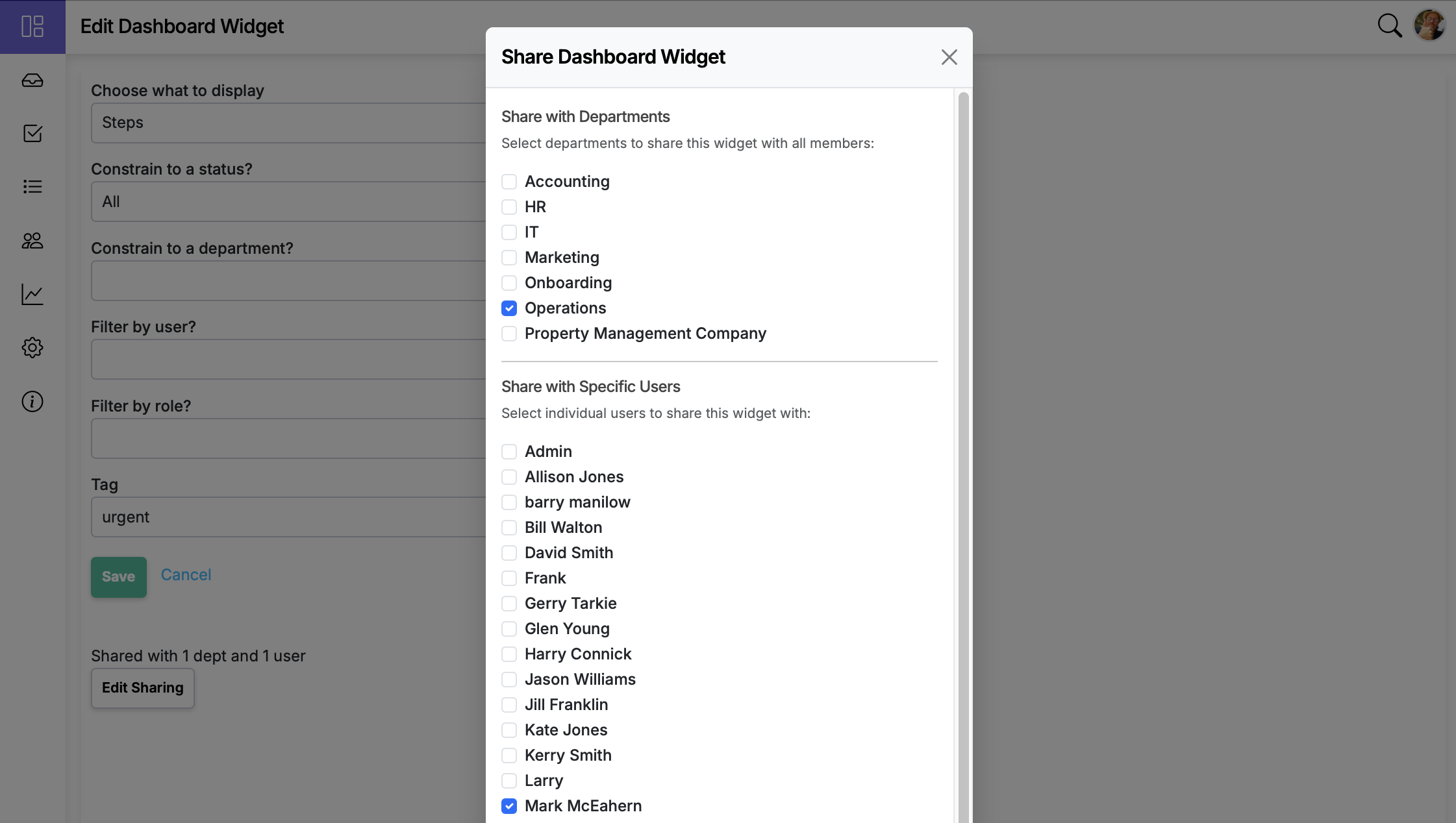
Dashboard item sharing now supports sharing with individual users in addition to departments.
Now live in Manifestly
Share dashboard items with specific users
It's live in every account — read the details or jump in and try it.
Dashboard item sharing now extends beyond departments. You can share a widget with specific users in addition to the departments you already share with.
Who can share
- Department admins can share with users in the departments they administer.
- Master admins can share with anyone in the account.
How to share
- Open your dashboard and click the gear in the upper right. Choose Manage.
- Click the edit button on the item you want to share.
- Click Share and pick the users (and/or departments) you want to share it with.
Behavior
- Selected users can view the item and its live data, in addition to anyone reached through department sharing.
- Access continues to honor existing role and permission rules.
- You can change the recipients or stop sharing at any time.
Share dashboard items with specific users is live in every account
Open Manifestly to try it, or book a walkthrough with our team.