
Latest features
Global Tokens for Workflows
Global Tokens for Workflows
Released January 28, 2026
Define reusable tokens for your organization and then use these key/value pairs across any workflow without hardcoding values.
Now live in Manifestly
Global Tokens for Workflows
It's live in every account — read the details or jump in and try it.
Global tokens let you define name/value pairs that can be referenced in any workflow using the standard {{token_name}} syntax. Instead of hardcoding values like
phone numbers, addresses, or policy links into individual steps, define them once and reuse them everywhere.
How it works
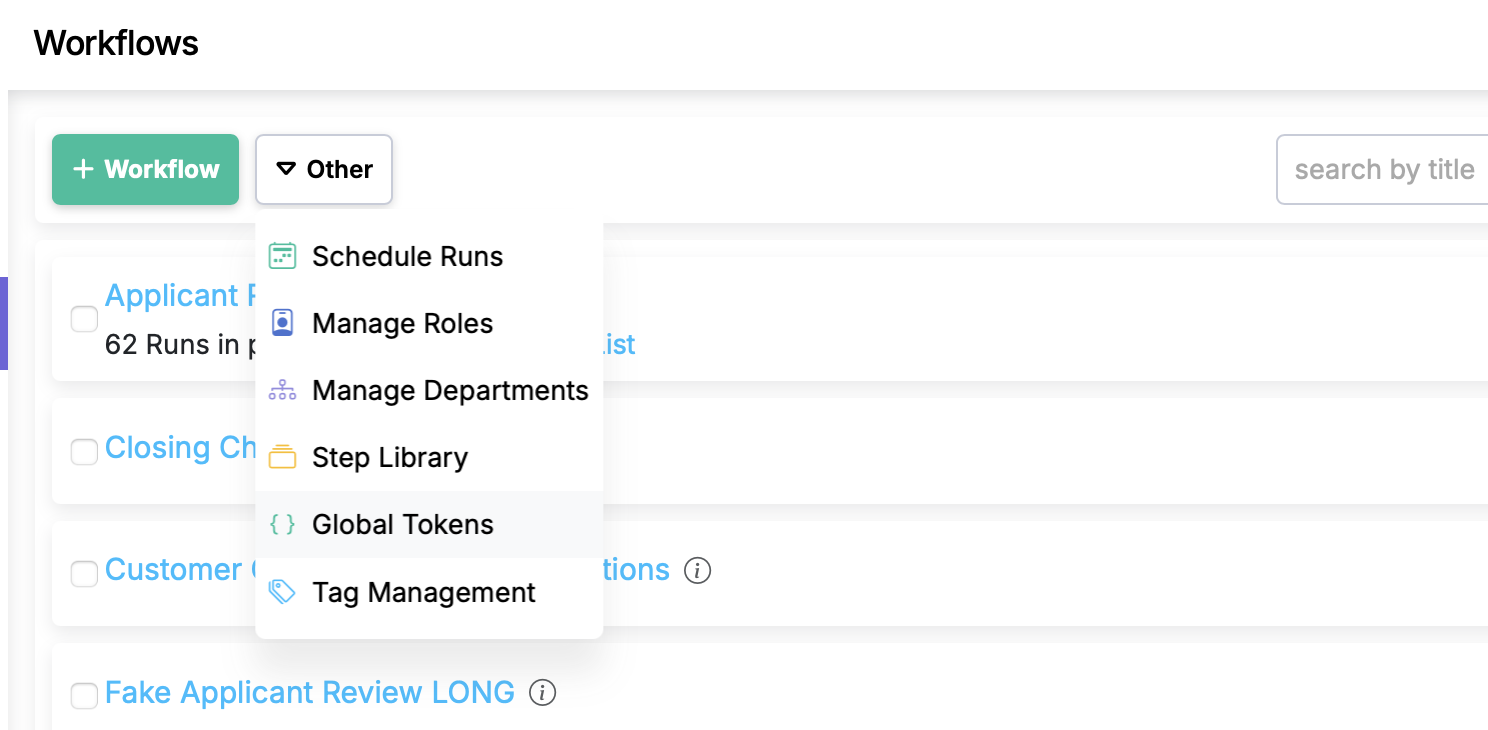
- From the Workflows list page, choose the Global Tokens option in the Other menu.
- Create a token with a name and value (e.g.,
help_center_phone_number=1-800-555-0199). - Use
{{help_center_phone_number}}in any workflow step, description, or webhook in that department.
Details
- Tokens created in the master department are available across all departments.
- Tokens created in a specific department are scoped to that department's workflows.
- When a token's value changes, every workflow that references it picks up the new value automatically — no edits needed.
- Global tokens appear alongside step data tokens in the token picker when editing workflows.
Global Tokens for Workflows is live in every account
Open Manifestly to try it, or book a walkthrough with our team.