
Business Calendars
Give a workflow a holiday calendar and every date it computes learns to skip the days your team is off. Count due dates in business days, snap dates off weekends and holidays, and move or skip recurring runs that fall on one.
What this release adds
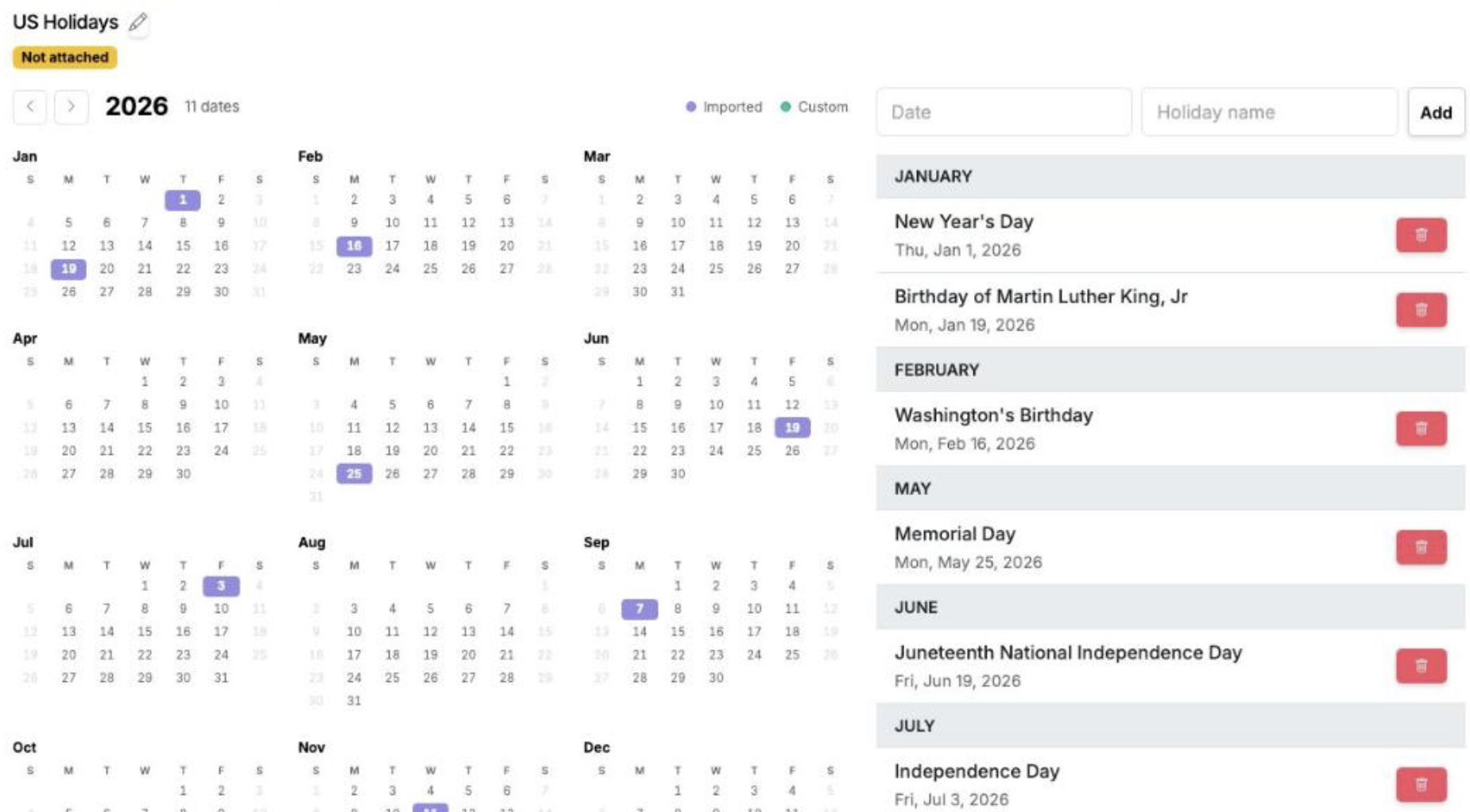
Your workflows already knew weekends weren’t workdays. Now they can know your holidays too. Build a Business Calendar — a shared list of the dates your team is off — attach it to a workflow, and every date that workflow computes starts skipping those days. It shows up in three places: the dates you count toward, the dates a landing rule snaps into place, and the recurring runs a holiday would otherwise start.
A holiday calendar
Import a regional template — US, UK, Canada, or Australia — and add your own custom closures. Imported calendars extend themselves years ahead automatically.
Due dates & reminders
Business-day counting steps over the calendar’s holidays, and a landing rule snaps a date that lands on a day off to the next or previous business day.
Recurring runs
A scheduled run that falls on a holiday or weekend can move to the next or previous business day — or skip that occurrence entirely.
Setting it up takes three steps
Build a calendar
Under Settings → Holiday Calendars, add a calendar, import a regional template, and add any custom company closures.
Attach it to a workflow
Point a workflow at the calendar. From then on its holidays count as non-business days everywhere the workflow works with dates.
Choose how dates behave
Set the landing rule for due dates and reminders, and the weekend/holiday rule for the recurring schedule — move forward, move back, or skip. Each run stamps these when it starts.
Business Calendars is live in every account
Open Manifestly to try it, or book a walkthrough with our team.