
Latest features
Bulk complete a step from the run summary page
Bulk complete a step from the run summary page
Released April 26, 2026
Complete the same step across every visible run in one click, right from the run summary page.
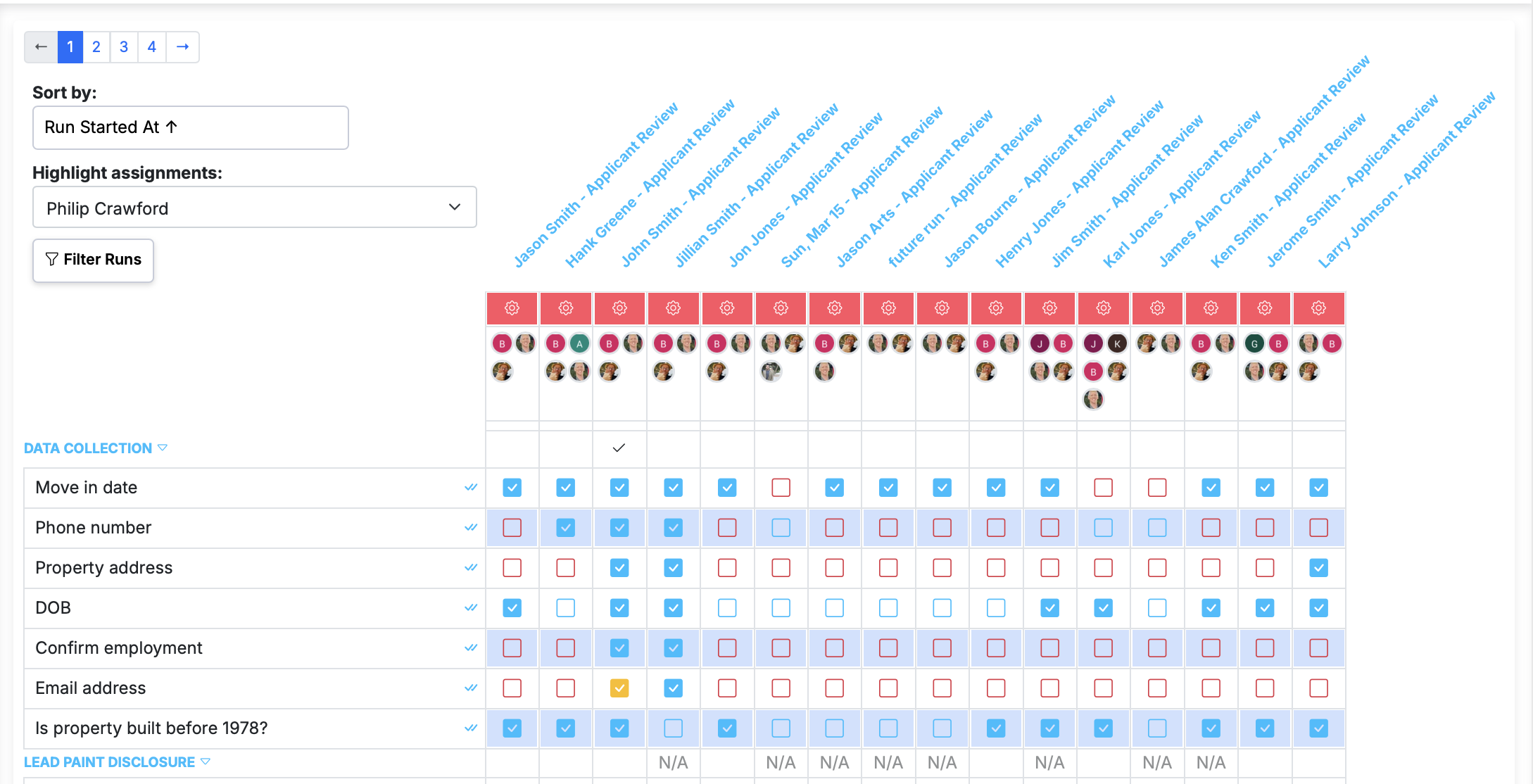
Now live in Manifestly
Bulk complete a step from the run summary page
It's live in every account — read the details or jump in and try it.
The run summary page now lets you complete the same step across every run currently visible in the list — no more clicking into each run one at a time.
How to use it
- Open the run summary page from the workflows page, then apply any filters you want (tag, date range, etc.) so the list shows the runs you care about.
- Find the step you want to complete along the list on the left. The double checkmark is just to the right of the title in that column.
- Click the double checkmark to mark that step done across every run currently visible.
Behavior
- Only runs visible in the current view are affected. Narrow the list with filters first to scope the action.
- No action is taken on a step in a given run if:
- the step requires data to complete,
- you don't have permission to complete it, or
- it's not applicable in that run due to conditional logic.
- Steps that are already complete are skipped.
Bulk complete a step from the run summary page is live in every account
Open Manifestly to try it, or book a walkthrough with our team.