
New Feature: Share Dashboard Items with Specific Users
April 23, 2026
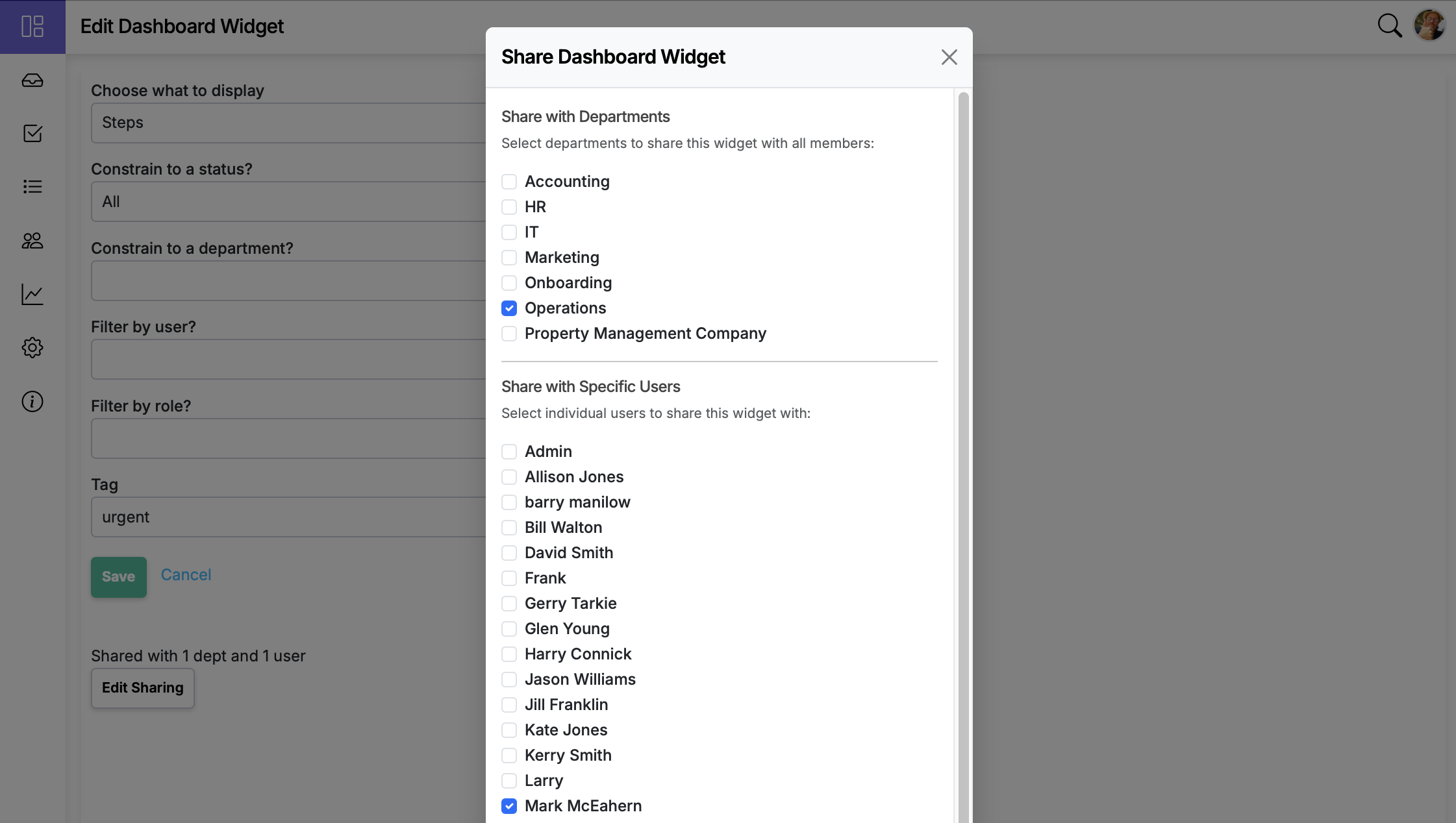
Dashboard sharing now extends beyond departments — share widgets with individual users for more precise control over who sees what.
Dashboards are most useful when the right people see the right data. Until now, sharing a dashboard item meant sharing it with an entire department — which works for broad visibility but not when you need to share a widget with a specific person who isn't in the same department, or when you don't want to expose data to everyone in a group.
Now you can share dashboard items with individual users in addition to departments.
How to share with users
- Open your dashboard and click the gear icon in the upper right. Choose Manage.
- Click the edit button on the item you want to share.
- Click Share and pick the users (and/or departments) you want to share it with.
Who can share
- Department admins can share with users in the departments they administer.
- Master admins can share with anyone in the account.
How sharing behaves
- Selected users can view the item and its live data, in addition to anyone reached through department sharing.
- Access continues to honor existing role and permission rules — sharing a widget doesn't grant access to data the user couldn't otherwise see.
- You can update the recipient list or stop sharing at any time.
Use cases
- Cross-department visibility — share a workflow status widget with a stakeholder in another department without giving their entire team access.
- Executive dashboards — share specific widgets with leadership without cluttering their view with department-level details.
- Onboarding — share a curated set of dashboard items with a new team member to help them get up to speed.
See the full feature details for more.
Table of Contents