
New Feature: Workflow Approvals
August 18, 2026
Add a required sign-off to any workflow, assign the person who owns the decision, and keep every approval and rejection on the record.
Plenty of steps in a process need someone to say yes before the work moves on. A manager has to approve the time off. A director has to sign off on the discount. Someone has to greenlight the access before it’s granted. Approvals make that sign-off a real step in the workflow instead of an email you hope gets answered.
What is an approval?
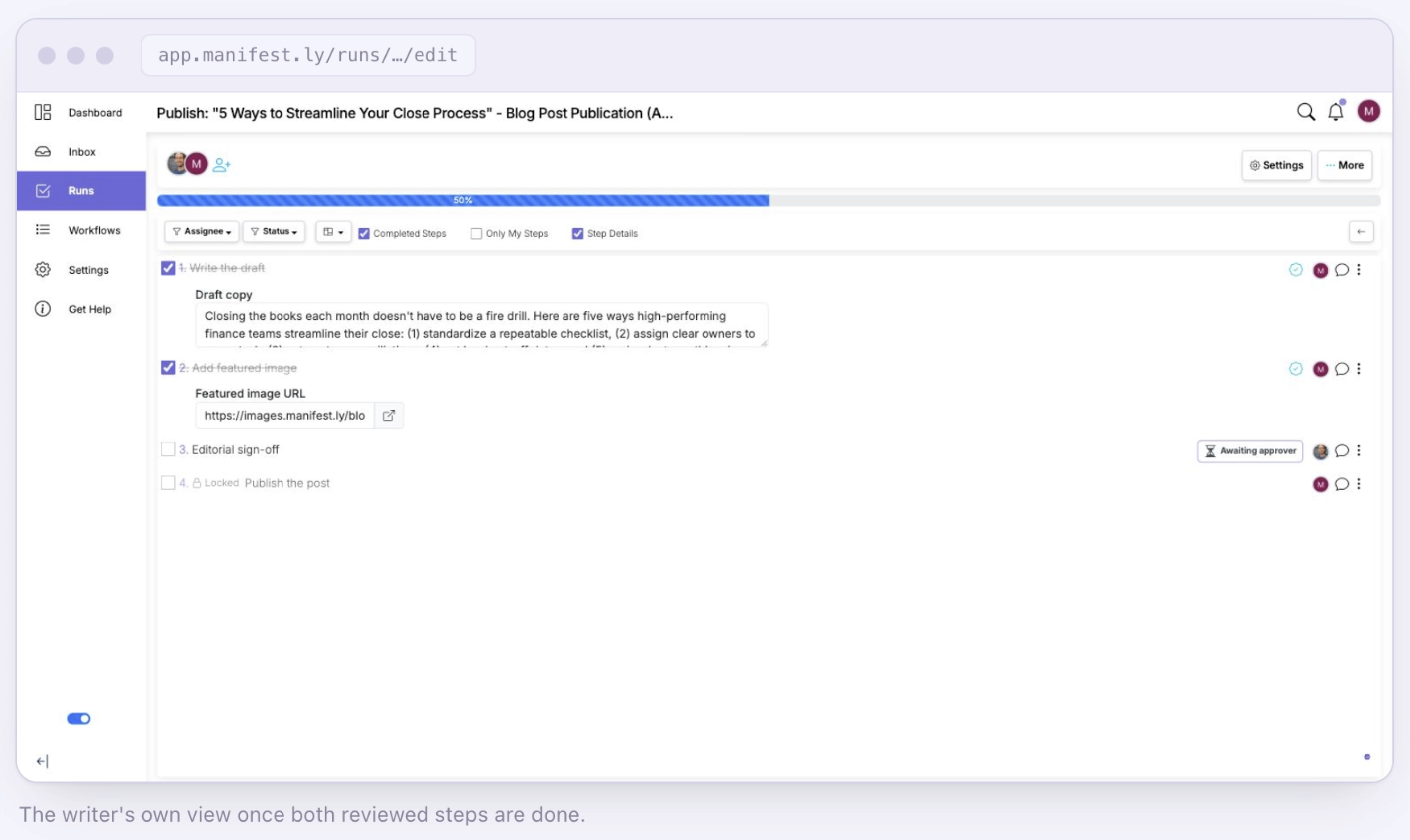
An approval is a step that reviews one or more earlier steps and waits for a decision from whoever it’s assigned to. They can approve it, which unlocks the work waiting behind it, or reject it, which sends those steps back to the people who own them to fix and resubmit. Every decision carries a required comment, so the record always says why.
Why it matters
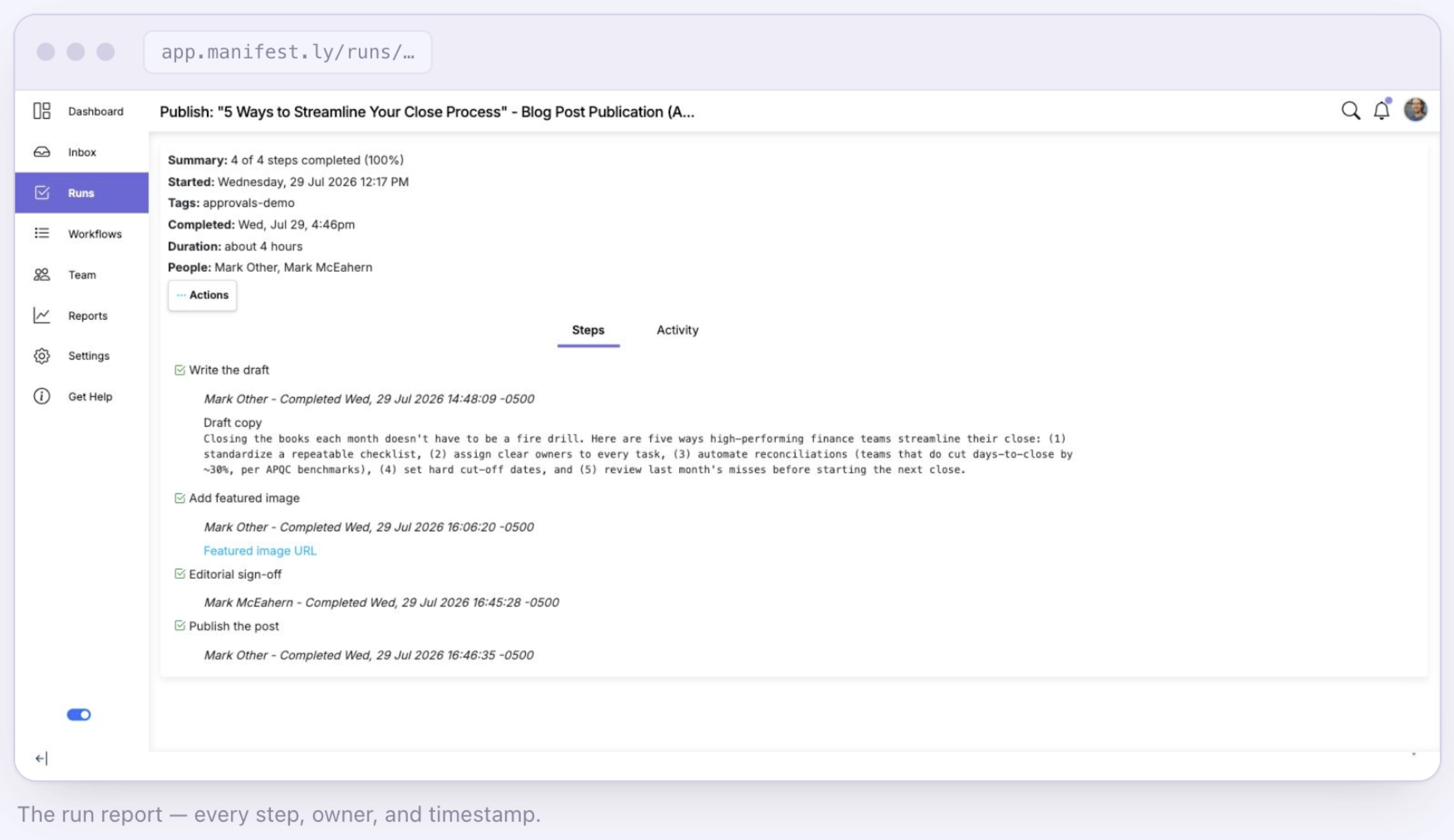
Sign-off usually happens in an inbox, a thread, or a hallway. That works until someone asks who approved it and when, and nobody can find the answer. Approvals put the decision inside the run, with an owner attached to it and the person who did the work can’t sign off on their own, so the check is a real one. Every approval and rejection is recorded with who decided, when, and why, so the record is already there when you need it.
How to set it up
Turn any step into an approval, choose which earlier steps it should review, and assign it to the person or role who owns the decision. From then on, every run created from that workflow includes the sign-off automatically. Set it up once, and it happens on every run without anyone chasing it. Need a second sign-off later in the process? Add another approval step for the next reviewer.
See the full feature details for more.