
New Feature: Add Ad Hoc Steps to Workflow Runs
January 29, 2026
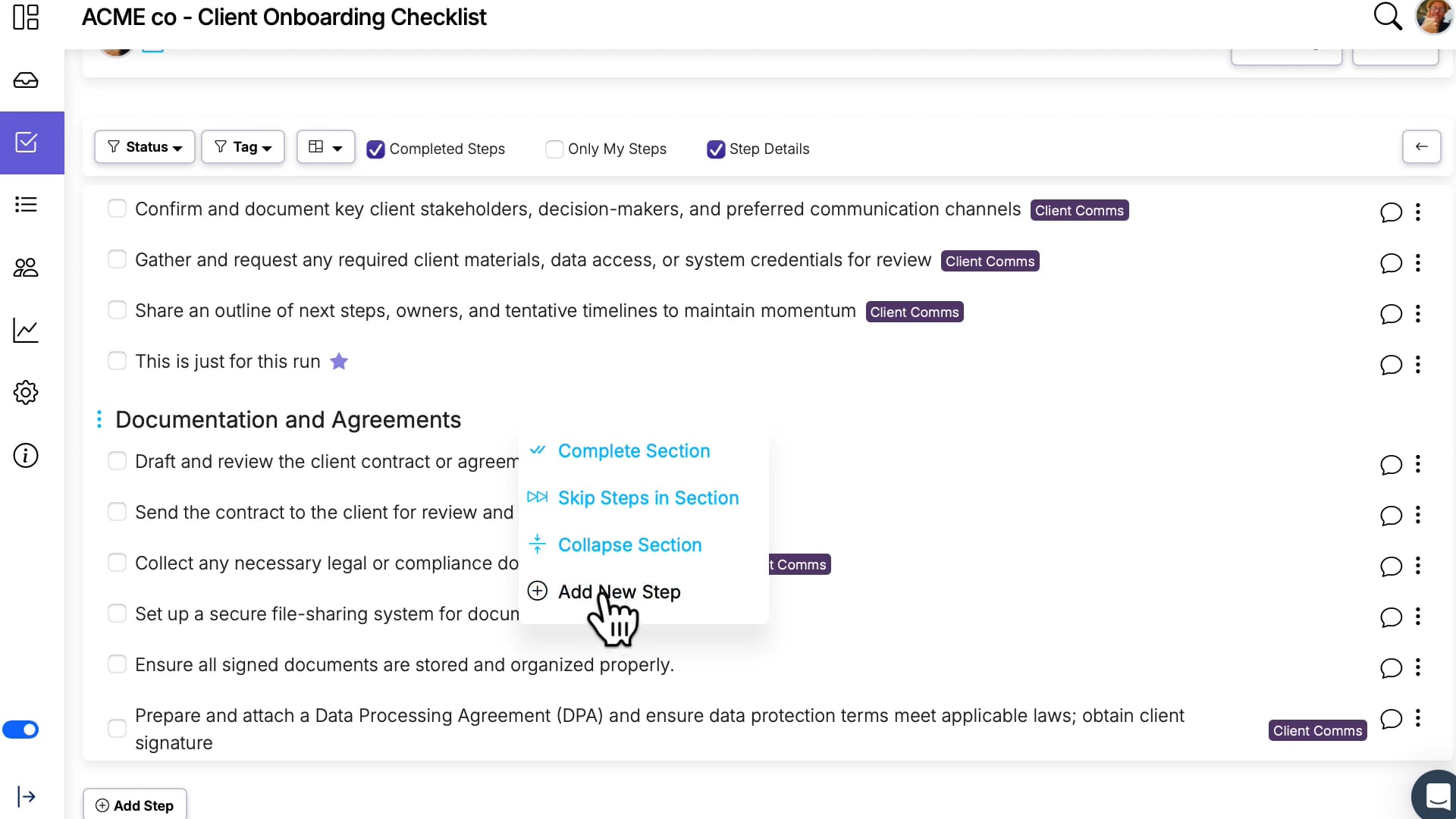
Workflows are designed to be repeatable, but reality doesn't always match the template. A client asks for something extra. An inspector notices an issue that needs a follow-up task. A new regulation requires a one-time verification. In all these cases, you need a step that exists on this run but not on the workflow itself.
With ad hoc run steps, you can add one-off tasks directly to a run while keeping the workflow as the source of truth for the standard process.
How it works
- Enable the Allow ad hoc steps setting in your workflow settings.
- On any run created from that workflow, add a new step that exists only on that run.
- The ad hoc step is tracked, assigned, and completed just like any other step.
What makes this safe
The biggest concern with adding steps to a run is what happens when the workflow gets updated later. Ad hoc steps are designed to survive workflow edits:
- Workflow updates ignore ad hoc steps — they won't be removed or overwritten when you push changes from the workflow to the run.
- The workflow stays clean — ad hoc steps exist only on the run, so the workflow template remains the standard process.
- Full traceability — ad hoc steps show up in the run's history and reports like any other step.
When to use it
- Exception handling — a step that's only needed because of an unusual circumstance on this particular run.
- Client-specific tasks — extra requirements for a particular client without modifying the shared workflow.
- Temporary additions — tasks you need to track once but don't want baked into the permanent process.
If you find yourself adding the same ad hoc step repeatedly, that's a signal it should be added to the workflow itself. But for true one-offs, this feature keeps your runs accurate without cluttering your workflows.
See the full feature details for a video walkthrough.