What’s New at Manifestly: Q4 2025
January 07, 2026

Summary
Faster actions. Smarter notifications. Seamless sharing.
- Workflow Sharing — Share workflows across departments while keeping a single source of truth.
- SMS Notifications — Reach your team instantly, wherever they are.
We also streamlined daily work with right-click step menus, targeted bulk reminders, and the ability to track tagged steps directly in dashboards.
Q4 focused on speed and reach—so teams stay connected and nothing slips through the cracks.
Track Tagged Steps in Dashboards
Released: October 10th, 2025
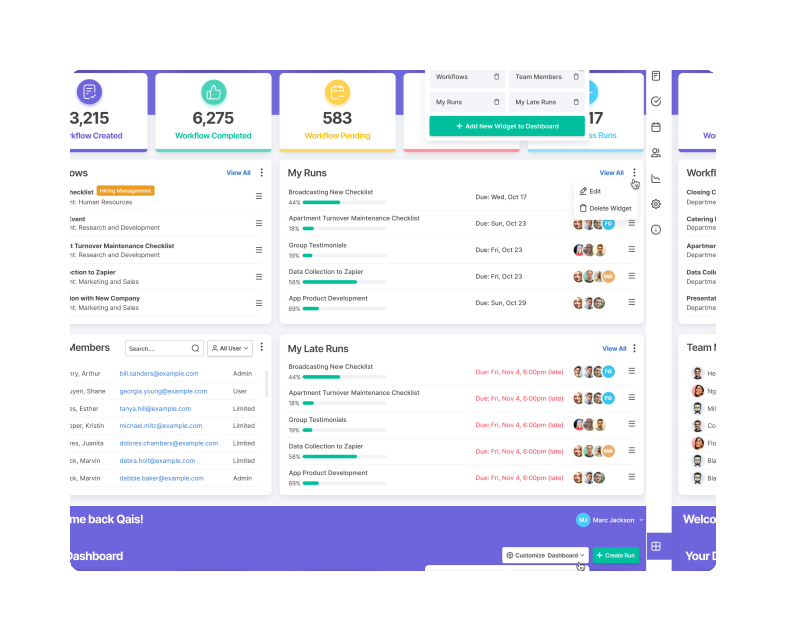
Dashboard items can now display steps with a specific tag—not just runs. Create focused views that surface exactly the work that needs attention.
- Step-level tracking: Build dashboard items that show all steps tagged with a specific label like Urgent or Blocked.
- Cross-run visibility: See tagged steps from any run in one place.
- Flexible tagging: Tag steps via right-click or the step menu, then track them on your dashboard.
How to use: In the Dashboard Item Editor, select Steps as the item type and choose the tag you want to track.
Workflow Sharing
Released: December 1st, 2025
Share workflows across departments within your account. Shared workflows appear as read-only copies in the receiving department, keeping your processes consistent across teams.
- Single source of truth: Edit the original workflow and changes automatically propagate to all shared copies.
- Easy access: Receiving departments can view the workflow and start runs without editing permissions.
- Controlled distribution: Admins choose which departments receive shared workflows.
How to use: Open a workflow's settings, select the departments you want to share with, and save. The workflow will appear in those departments as a read-only copy.
Targeted Bulk Reminders
Released: December 22nd, 2025
Send bulk reminders from the Runs page with more control over who gets notified. Choose to remind everyone on selected runs, or only users with open step assignments.
- Notify everyone: Send reminders to all participants on selected runs.
- Target open assignments: Only notify people who still have incomplete steps—skip those who are already done.
- Reduce noise: Keep reminders relevant and avoid notification fatigue.
How to use: Filter runs on the Runs page, select multiple runs, then choose your reminder target when sending.
SMS Notifications
Released: January 2nd, 2026
Get real-time Manifestly alerts by text message—so the right people know what's happening the moment it happens, whether they're on the floor, in the field, or away from their desk.
- Choose what matters: Select which events trigger SMS alerts—mentions, reminders, new assignments, late assignments, run status changes, and more.
- Verified delivery: Texts only go to verified phone numbers for security and reliability.
- Per-user control: Each team member configures their own SMS preferences.
How to use: Add and verify your phone number in notification settings, then select which alerts you want delivered by text.
SMS notifications are available for Enterprise customers.
See These Features in Action
Catch up on earlier updates:
- What's New at Manifestly: Q3 2025
- What's New at Manifestly: Q2 2025
- What's New at Manifestly: Q1 2025
Explore every recent enhancement on our Latest Features page.
Want a walkthrough of these updates? Schedule a free, personalized demo with our team.
Help shape what's next — share your ideas and help prioritize our 2026 roadmap through our Feature Feedback Form.