


Introducing the Manifestly Plugin for ChatGPT
November 10, 2026
Manifestly’s ChatGPT plugin is live. You can now work with your Manifestly workflows, runs, and assigned tasks directly in ChatGPT: check what’s overdue, start your next run, or update the process your team follows.
Find Manifestly in Workflows and checklists and connect your account to bring your recurring work into the conversation. The plugin includes two skills: Build and edit workflows and Manage runs.
Ask about the work you already manage
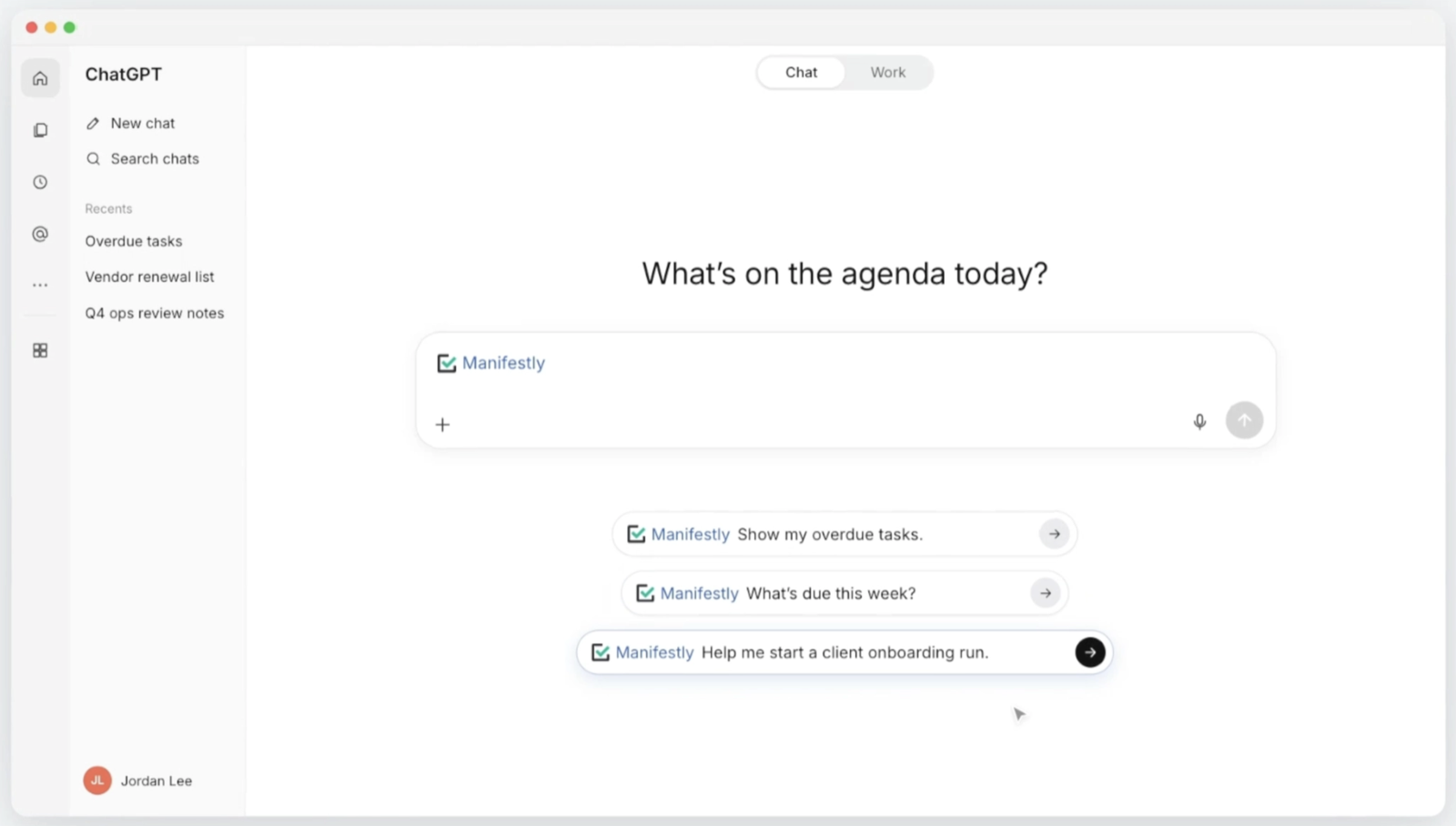
Start with a question you already ask:
- “Show my overdue tasks.”
- “List my tasks due this week.”
- “Help me start a client onboarding run.”
The plugin brings current information from your connected Manifestly account into the chat. You can review upcoming deadlines, see which assigned steps are overdue, and decide where to follow up.
When you’re ready to act, you can continue in the same conversation. Ask ChatGPT to start a run, assign a task, or record that a step is complete. Those changes happen in Manifestly, where your team can see the updated work.
Learn more about using Manifestly with ChatGPT.
Two skills for building and running recurring work
The plugin supports both the process your team follows and the individual runs where the work happens.
Build and edit workflows
A workflow is a reusable template for a recurring process. It defines the steps and instructions your team follows each time.
Use Build and edit workflows to create a workflow or revise an existing one. You might describe your client onboarding process and ask ChatGPT to build the template, or ask it to update the instructions for preparing a kickoff meeting.
Changes to the template shape the process for future runs.
Manage runs
A run is an individual execution of a workflow. Your client onboarding workflow defines the process; each new client gets a separate run with its own assignments, deadlines, and completion record.
Use Manage runs to start those runs and work through them. You can review tasks and deadlines, assign work, record required information, and complete steps through the chat.
For example, ask ChatGPT to start onboarding for a new client, then review the tasks due before the kickoff meeting.
From a question to an update in Manifestly
Here’s how to use the Manifestly plugin for a client onboarding run.
You ask:
Show my overdue tasks.
ChatGPT retrieves your assignments from Manifestly. One is Send welcome email in a client onboarding run.
You’ve already sent the email, so you reply:
I’ve sent the welcome email. Mark that step complete in this client’s onboarding run.
ChatGPT updates the specified step through the plugin and confirms the change. Open the same run in Manifestly, and the welcome-email step is now marked complete.
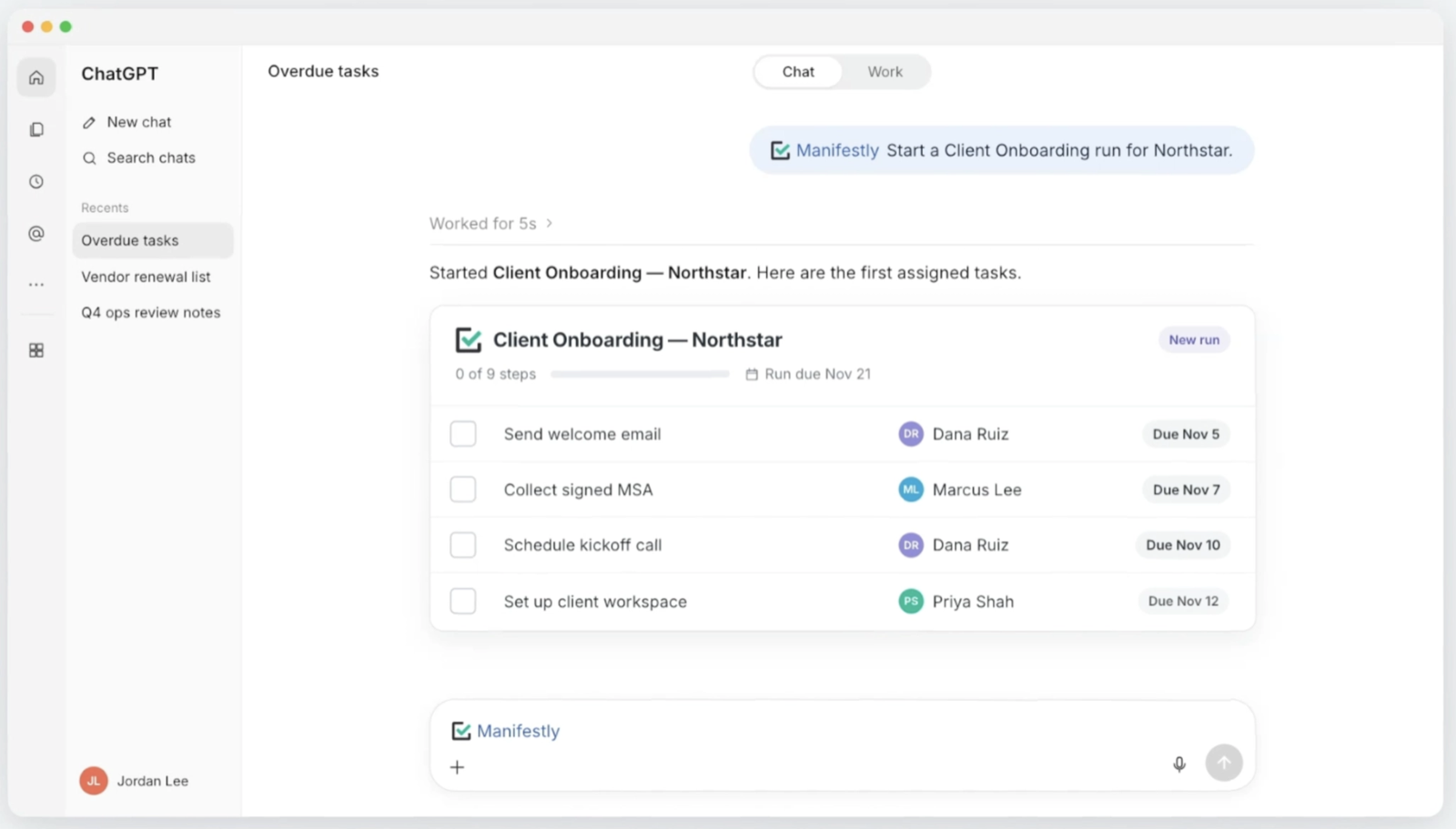
Your team can see the updated status in the run. The conversation helped you find the task and record its completion in the place where the onboarding work is tracked.
This is part of how Manifestly connects AI with recurring work: the chat gives you another way to act, while the workflow keeps the assignments, deadlines, and record together. You can explore other supported connections on the AI integrations page.
Add the plugin and start with one question
- Find Manifestly in Workflows and checklists.
- Select Add plugin.
- Connect your Manifestly account. If you’re already signed in, the connection uses that account.
- Select Try in chat.
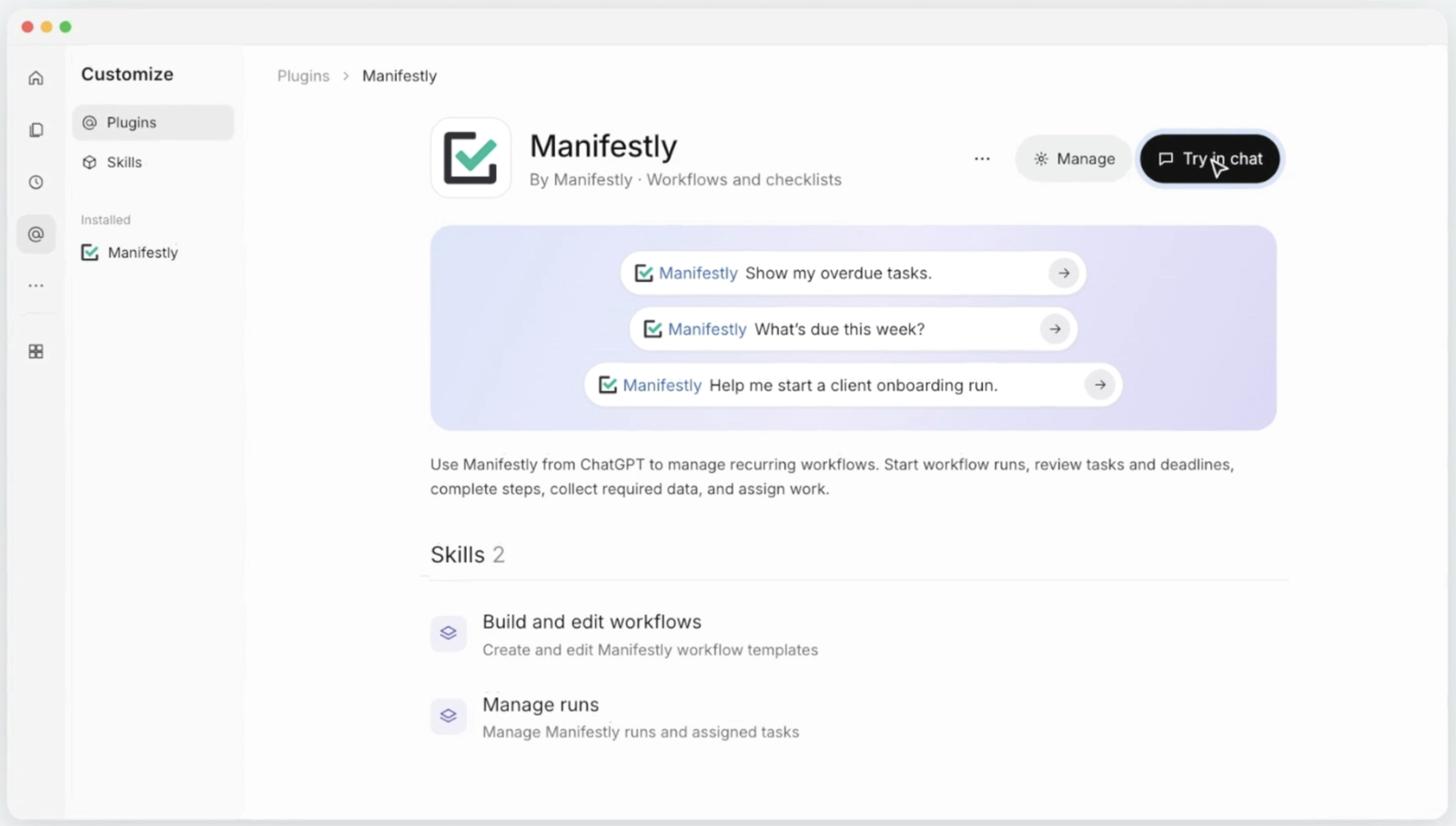
Add the plugin and ask, “What’s due this week?”
For more ways to use it, read How to Manage Recurring Tasks in ChatGPT with Manifestly.
Don’t have a Manifestly account yet? Start a free trial and bring one recurring process into ChatGPT.