


How to Manage Recurring Tasks in ChatGPT with Manifestly
November 12, 2026
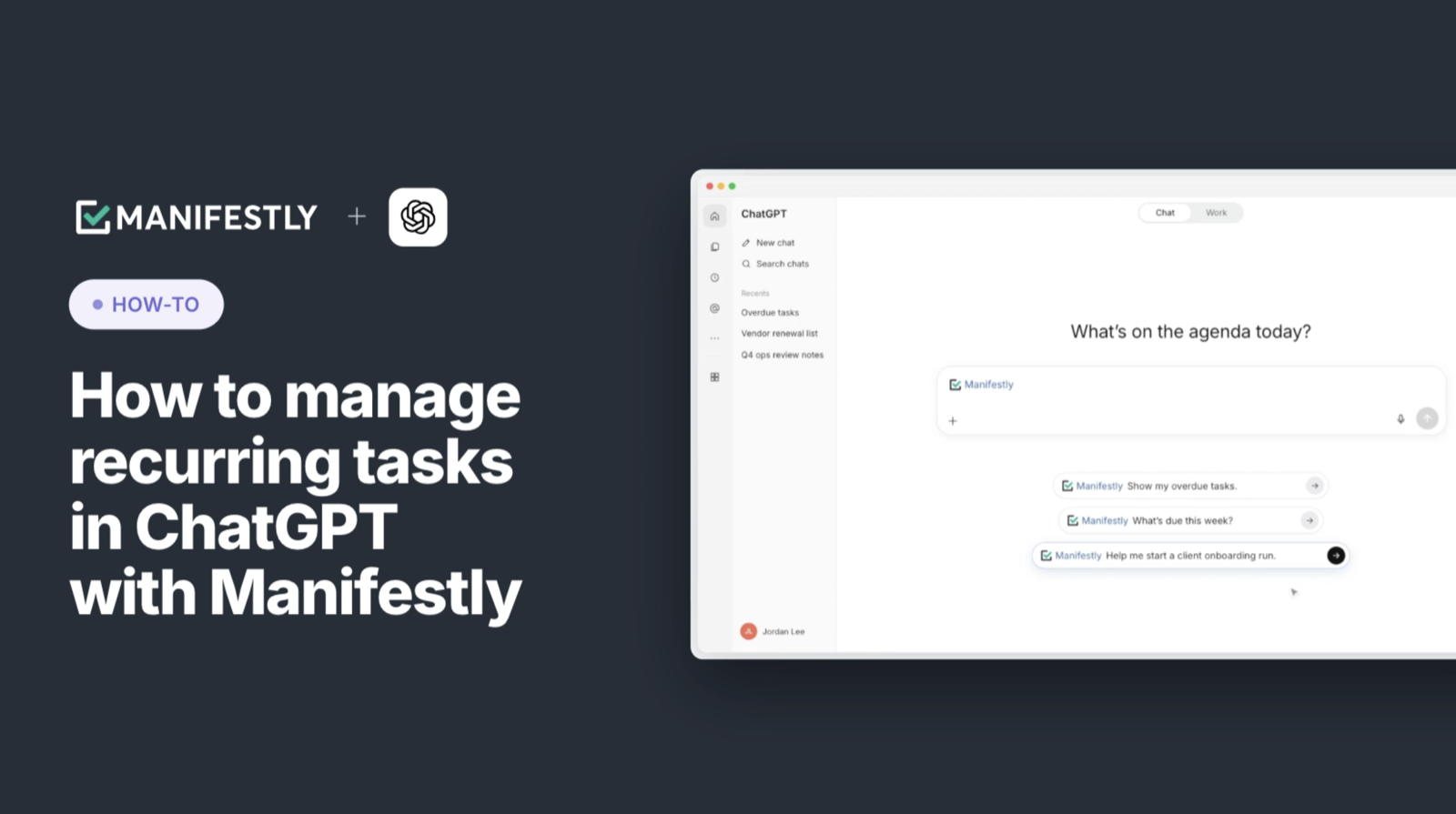
Before the day gets moving, you need to know what is due, what is late, and which client onboarding tasks need attention. The Manifestly plugin lets you review and update that recurring work directly in ChatGPT, using the workflows, runs, and tasks in your connected account.
You can ask what needs attention, act on a specific task, and update the reusable process when you find something worth improving. The changes are recorded in Manifestly, where your team can see the work’s current status.
If you haven’t connected your account yet, start with Introducing the Manifestly Plugin for ChatGPT for availability and setup details.
The examples below follow an illustrative client onboarding process. Run names, people, and dates are sample details; your results will reflect the work in your Manifestly account.
See what needs attention
Start with a question that helps you plan your work:
List my tasks due this week.
Then narrow the review:
Show my overdue tasks.
Look for the task name, the run it belongs to, its deadline, and who is assigned. If you need more context, ask for details about the specific run or step before deciding what to do.
For example, imagine your review surfaces these assignments:
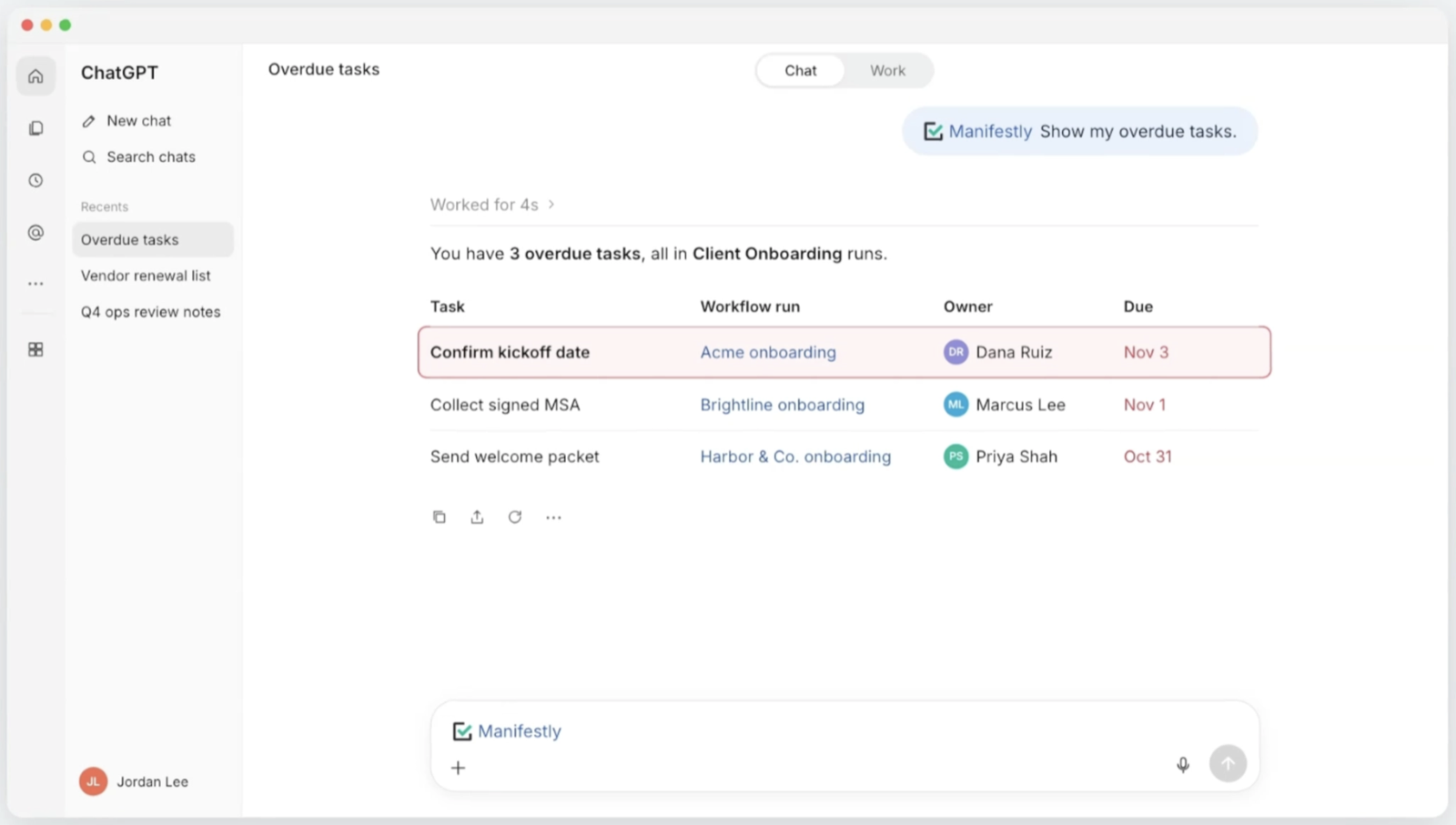
The first task is overdue in this example. That gives you somewhere specific to begin: check whether Cedar’s kickoff date still needs to be confirmed or whether the work has happened and the run needs updating.
A useful status review connects the deadline to the task and the client involved. You can decide what to do next without reconstructing which onboarding the task belongs to.
Update the work as you handle it
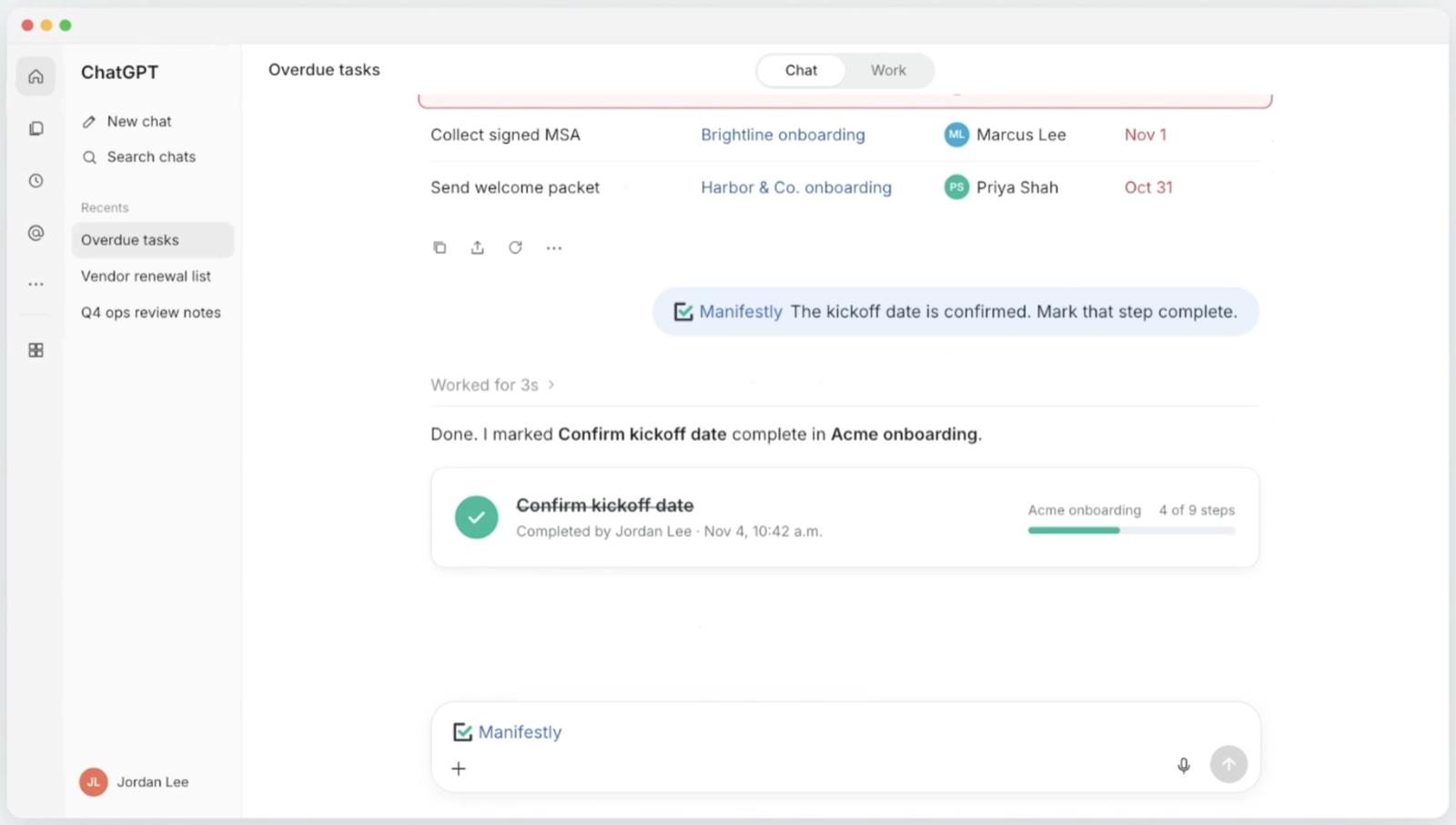
Continue with the same run. Cedar has confirmed its kickoff date by email, but the information hasn’t been recorded in Manifestly.
Assume the Confirm kickoff date step has a required Kickoff date field. You can ask:
In Cedar Client Onboarding, enter November 16, 2026 in the Kickoff date field on the Confirm kickoff date step.
After reviewing the confirmation, record that the underlying work is complete:
I’ve confirmed that date with the client. Mark Confirm kickoff date complete in Cedar Client Onboarding.
The date and completion status now belong to that client’s run. Someone checking the onboarding work in Manifestly can see the update there.
You can also adjust who handles the next task. If Jordan Lee is taking over agenda preparation, continue:
Assign Prepare kickoff agenda in Cedar Client Onboarding to Jordan Lee.
Use the person’s full name when needed to identify the right teammate. If ChatGPT asks which person or task you mean, resolve that detail before the update proceeds.
These requests record information, completion, and responsibility in the run your team uses. Completing the confirmation step records work you have already performed; assigning the agenda identifies who handles what comes next.
Start the next run from an existing workflow
Once Cedar’s updates are recorded, another client is ready to begin onboarding.
Ask:
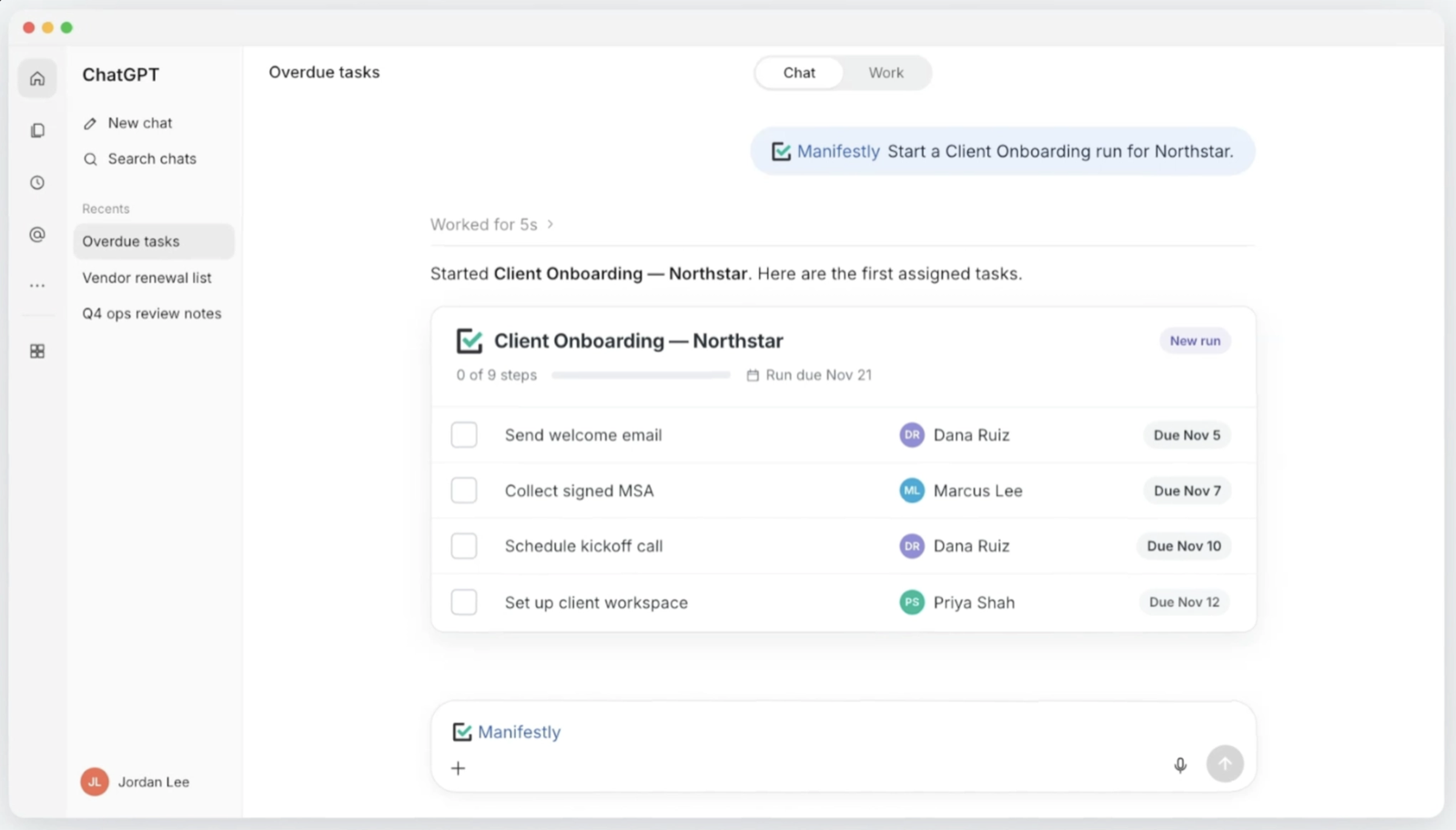
Start a Client Onboarding run for Northstar.
A workflow is the reusable process your team follows. A run is one execution of that process. Cedar and Northstar can follow the same workflow while keeping separate assignments, dates, collected information, and completion records.
Provide any details ChatGPT needs to identify the workflow and start the run. If there are similarly named templates, specify the right one. If the process needs a start date or other information, supply it before the run is created.
Assignments and deadlines depend on the template’s configuration and the information supplied. After creation, review the new run:
Show the tasks, assignments, and due dates in Northstar’s onboarding run.
Check that the run reflects the onboarding you intend to manage, including any tasks that still need an owner or deadline.
Improve the workflow for future runs
While updating Cedar’s onboarding, you noticed that Confirm kickoff date had vague instructions: “Confirm with client.” The step didn’t explain where to record the date or what counted as confirmation.
That is a reason to improve the reusable workflow through the plugin’s Build and edit workflows skill. First, be clear about the scope of the change.
You could ask:
In the Client Onboarding workflow template, update the instructions for Confirm kickoff date to: “Confirm the kickoff date with the client and enter it in the Kickoff date field. Complete this step after the client has agreed to the date.”
Review the resulting template edit. The next person following the process should know what to confirm, where to record it, and when to complete the step.
Treat any changes needed in existing runs as separate work. If Northstar’s already-created run also needs clearer instructions, identify that run explicitly rather than assuming the template edit changed it.
Handling Cedar’s task helped today’s onboarding move forward. Improving the template gives future runs clearer instructions from the start.
Make requests specific enough to act on
You don’t need a special prompting formula. Give the request enough context to identify the work:
- Name the run. “Cedar Client Onboarding” is clearer than “the onboarding.”
- Identify the task. Use the step’s name when several tasks could match.
- Provide the information to record. Include the date, field value, or teammate needed for the update.
- State the scope. Say whether you want to change a task in a particular run or edit the reusable workflow template.
After an update, review the confirmation for the intended run, task, and change. This is especially useful when several clients are moving through the same process.
Apply the same approach to other recurring work
The same sequence—review the work, update a specific run, improve the process when needed—applies beyond client onboarding.
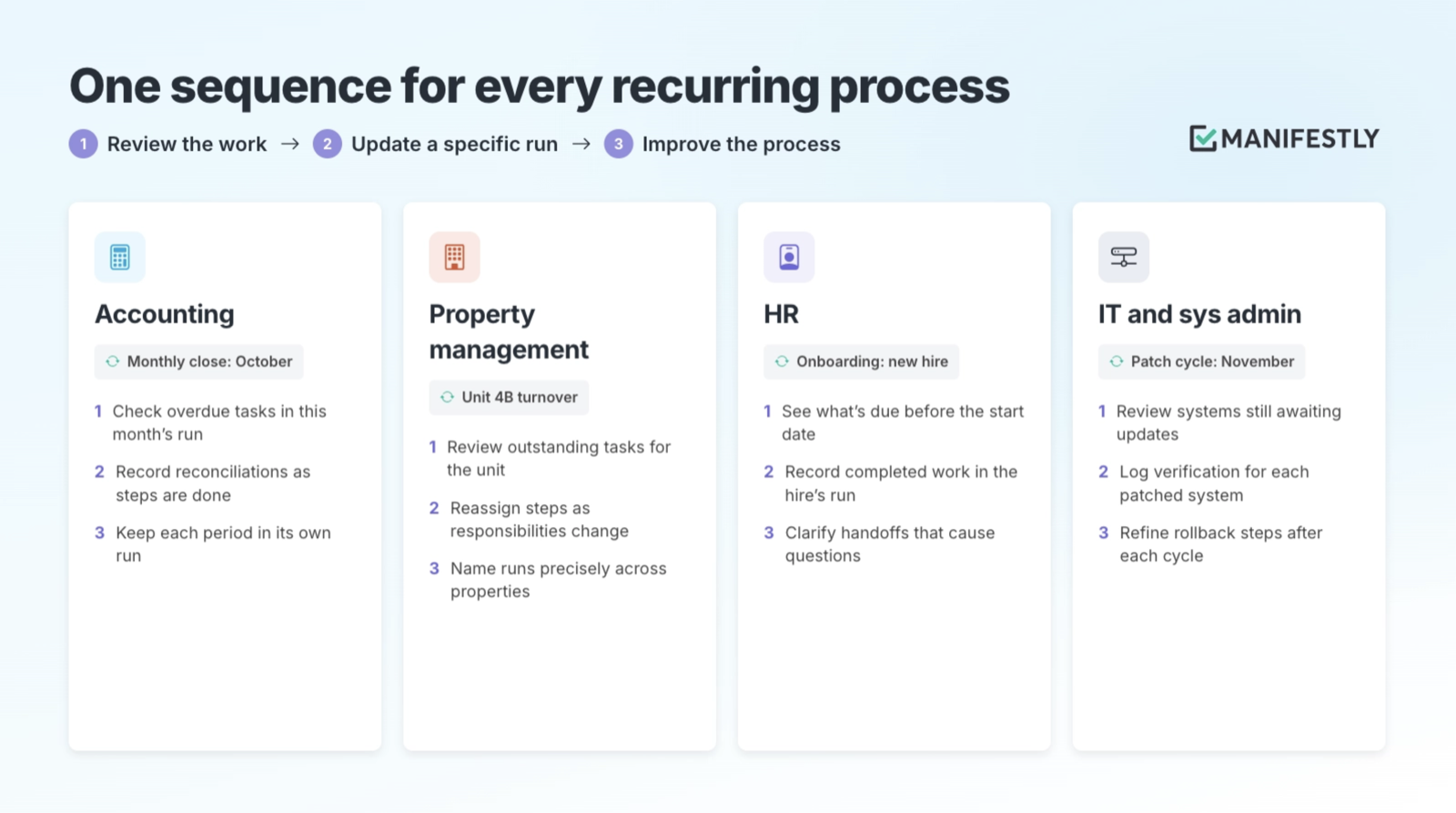
Accounting: monthly close
Review overdue tasks in a particular monthly close run. As reconciliations and reviews are performed, record the required information and update the relevant steps. Keep each month’s work in its own run so the team can distinguish the current close from earlier periods.
Explore workflows for accounting teams.
Property management: unit turnover
Review the outstanding tasks in a specific unit’s turnover run. Update assignments as responsibilities change, then record completed preparation work against that unit. A precise run name helps distinguish similar tasks across properties.
Explore property management workflows.
HR: employee onboarding
Review tasks due before a new hire starts and identify which assignments need attention. Record completed work in that hire’s run, and clarify the reusable instructions when a handoff repeatedly causes questions.
Explore workflows for HR teams.
Try it with one process you already run
Choose an existing workflow with an active run. Ask ChatGPT what needs attention, review one specific task, and make an appropriate update: record required information, assign the next owner, or complete a step after doing the work.
Then check the run in Manifestly. The next person should be able to see what changed and understand what remains.
Add the Manifestly plugin and try it with your next client onboarding or another recurring process your team already follows. If you’re choosing a process to start with, explore client onboarding workflows.
Don’t have an account yet? Start a free trial of Manifestly and set up one recurring process with the owners, deadlines, and instructions your team needs.